

Onward invoicing: mileage rate and mark-up
Two fields on the project control what the customer pays when mileage allowance, receipts and supplier invoices are invoiced on.
Onward invoicing settings per project
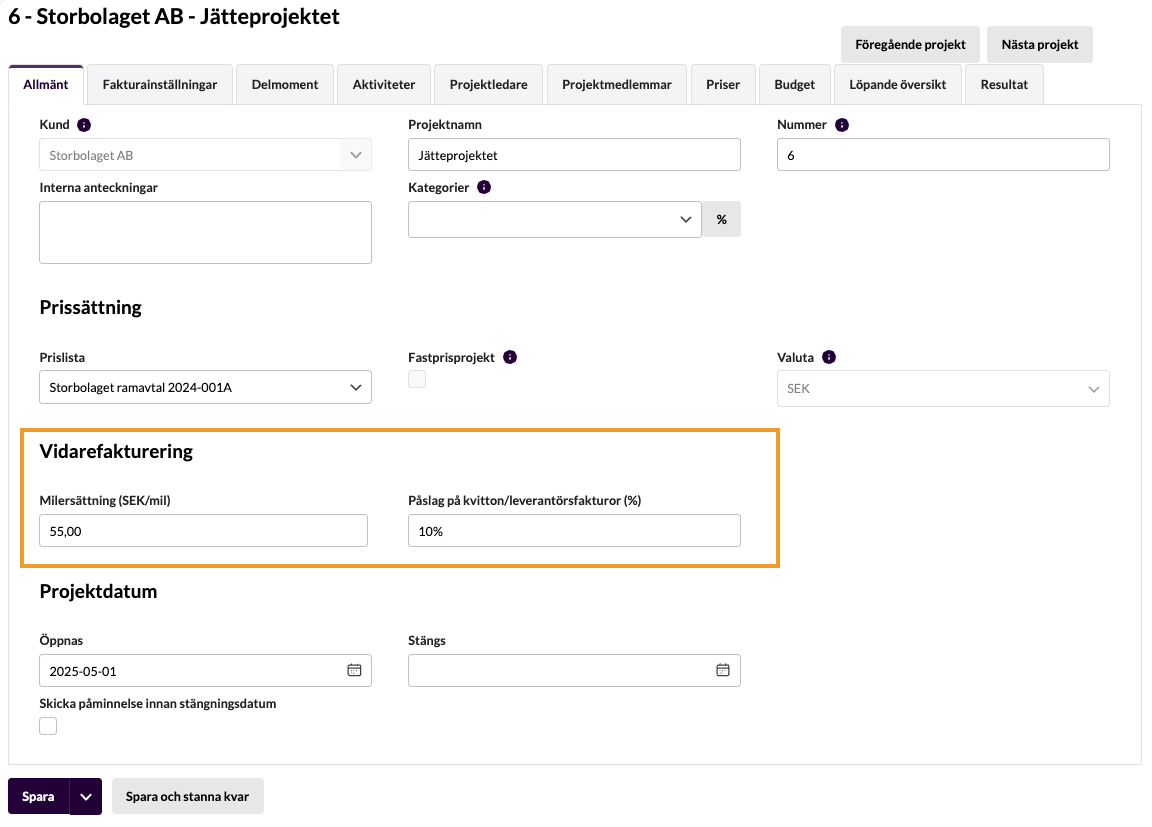
Since the beginning of August 2025 there are two new fields in the project’s General tab, under the new heading Onward invoicing:
- Mileage allowance (SEK/mil): which customer invoice price should apply per mil, regardless of what the employee gets paid
- Mark-up on receipts/supplier invoices (%): if you have agreed on a mark-up for onward invoicing
In practice this means that when mileage allowance, receipts or supplier invoices are invoiced on to the project, the invoicing basis will be created taking these settings into account, and the mark-up is added automatically.
If you set a mileage rate or a % mark-up here, information about this is also shown on the invoicing basis page and the edit invoicing basis page, and in the supplier invoice view when you add an onward invoicing row. See the clips further down.
More screenshots
Onward invoicing of a supplier invoice
When you choose a project where a % mark-up is set, information about this is shown, and the amount that is suggested includes the agreed mark-up:
Customer invoices > Time & Expense billing
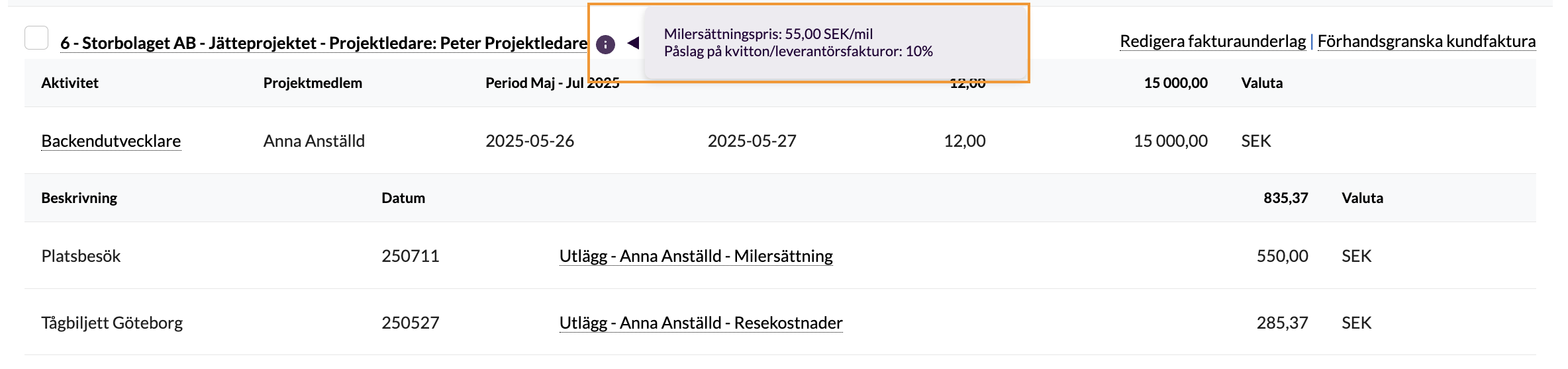
For projects that have an agreed mileage rate or % mark-up, a small info icon is shown that you can hover over for details:
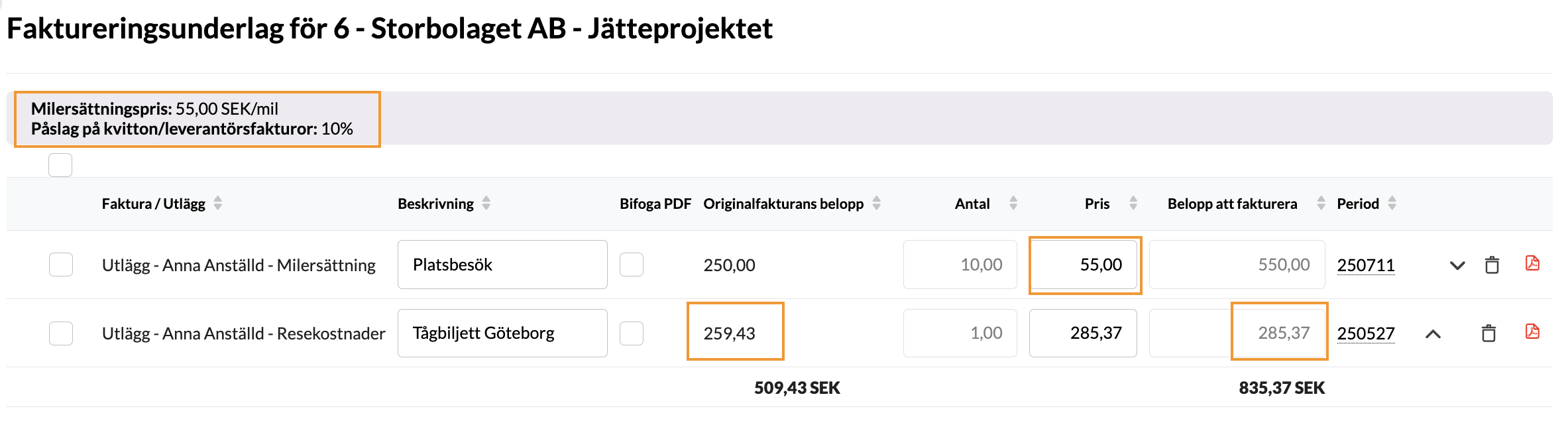
When you edit the invoicing basis, the same information is shown at the top, and you can compare the original amount with the amount to invoice. As for the mileage rate, you see it clearly separated from the number of mil:
FAQ
How exactly is the mark-up added?
The mark-up is added completely automatically, but it differs a little between mileage allowance, receipts and supplier invoices.
For mileage allowance and receipts you see the new amounts in practice first in the view Customer invoices > Time & Expense billing, that is after the expense journal has been authorised and the invoicing basis appears. There you also see information about the agreed mileage rate/% mark-up.
For supplier invoices you see directly in the invoice view, where you choose to set up the onward invoicing, that the chosen project has an agreed mark-up of X%. And the system will automatically suggest an amount with the mark-up included.
We use the subcontractor module: how does it work on the self-billed invoice?
- The mark-up will be added to the customer invoice but NOT to the self-billed invoice to the subcontractor.
- As for the mileage rate, subcontractors cannot currently register mileage allowance through Kleer’s regular function, so subcontractors are not affected by this change
We use group projects: how does it work on the internal invoice?
As for the mileage rate and mark-up, the internal invoice will mirror the customer invoice, that is the amount (after mark-up) will be the same on the internal invoice too.