

Send and receive e-invoices
A guide to how sending and receiving e-invoices works in Kleer
A guide to how you go about sending e-invoices in particular in Kleer
Why are e-invoices beneficial?
E-invoices are a very secure way to send and receive invoices compared with post and email. When invoices are sent by post or email there is always a risk that the invoice does not arrive, gets caught in a spam filter or similar, but with e-invoices that risk does not exist. If an e-invoice cannot be delivered, the VAN operator gets error messages that are sent back to the sender.
The data in e-invoices is also registered automatically, which means these invoices do not need to be interpreted. This reduces the risk of errors in interpretation and also means faster handling in Kleer, since we do not have to wait for the interpretation before the invoices can be coded.
Get started with sending e-invoices
Contact your team at Kleer
To get started with sending e-invoices you need to contact your team at Kleer, so that they can activate the integration for you.
Change the delivery method to EDI invoice
When the set-up of the integration is done, you need to change the delivery method on your customers so that the default delivery method becomes EDI invoice.
When you do this you get a field for “EDI-recipient” where you can search for the customer and get confirmation that they can receive e-invoices. To be able to search for recipients you need to fill in an organisation number, a VAT number or a GLN number. In most cases an organisation number is enough for Swedish customers and a VAT number for foreign customers. To be able to save the customer card with the delivery method EDI invoice, EDI-recipient must be set.
If the search gives a match, you get suggested recipients. There can be more than one option if the recipient, for example, has several departments that receive e-invoices and therefore have different addresses. In those cases you need to choose one of the recipients with the right information. If there is only one matching recipient, it is selected automatically.
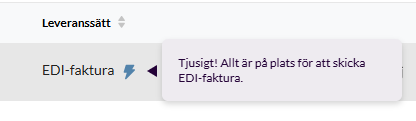
When you then save, you see a blue lightning bolt next to the delivery method as an indication that everything is set up correctly.
Now all you have to do is get going and send your invoices. Make sure, though, that all the information is also included on the invoices if you, for example, create invoices through the API.
If you get no match on EDI-recipient, double-check with your customer that you have received the right details, and if it is still not possible to find them, get in touch with your Kleer team and they will help.
Things to keep in mind
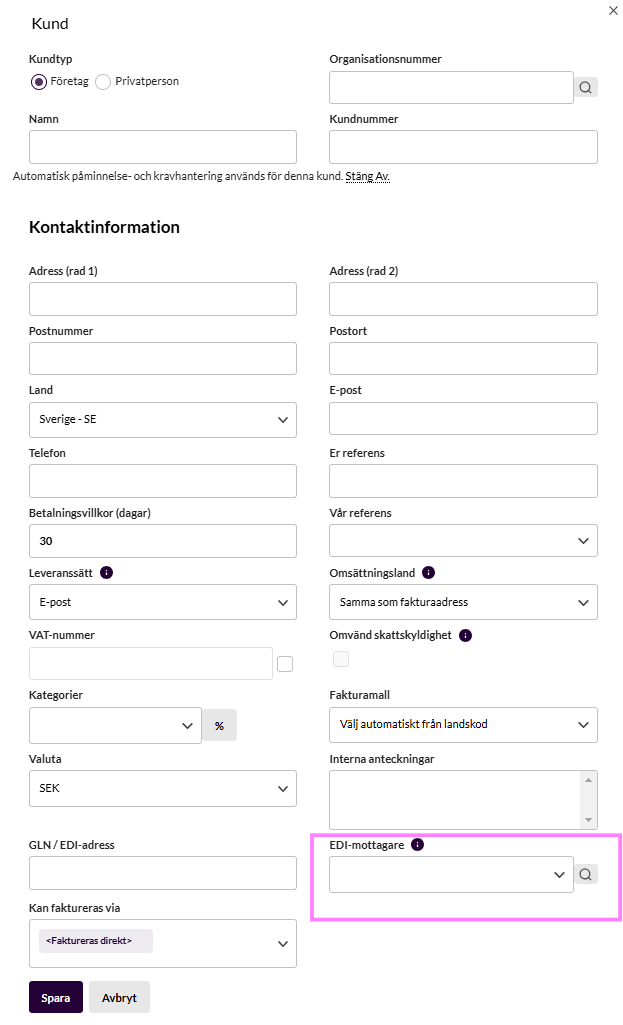
An organisation number or VAT number is required to be able to find a recipient. Having a GLN number is optional and is mainly used by larger organisations and public authorities, where there are different departments as recipients but all have the same organisation number. That is why this field is often empty when a recipient is found, and you can continue to leave it empty if your customer has not stated anything else.
If you have sent the original invoice as an e-invoice, you can resend the invoice several times. If you want to send a reminder on the invoice, you need to change the delivery method on the invoice to email or post, since reminders cannot be sent as e-invoices.
Checklist
- Make sure you have the right details for your customer. The most important thing is to have the organisation number or VAT number, but also check that your customer does not use a GLN number, because in that case you need that too.
- Use e-invoice as the default delivery method on the customer card so that it is used automatically on invoices.
- If a grey lightning bolt appears next to the delivery method (if you have chosen something other than EDI invoice), it means that the customer can receive e-invoices. We recommend that you switch to EDI invoice in those cases.
Receive e-invoices
To receive e-invoices in Kleer, the only thing you need to do is state your organisation number and, if applicable, the VAN operator Scancloud. Then your suppliers just have to send the invoices, and they end up in the right place in the system.