

Co-management
Guide to how the ongoing activities of jointly managed foundations are handled
Summary
Co-management is when several foundations have joined together and invest their capital jointly. Some costs and revenues are also handled jointly, while others belong to individual foundations. The joint costs and revenues are distributed in connection with the year-end closing, according to each foundation’s share in the co-management. This means that it is not possible to produce every type of report on an ongoing basis to get an individual foundation’s result. What is important to do on an ongoing basis, however, is to mark every event with the foundation the revenue or cost refers to, or whether it is joint and is to be distributed according to share at the end of the financial year.
This guide shows how events are “tagged” with the correct category, and suggests how the system can help make the administration more efficient.
Foundation register
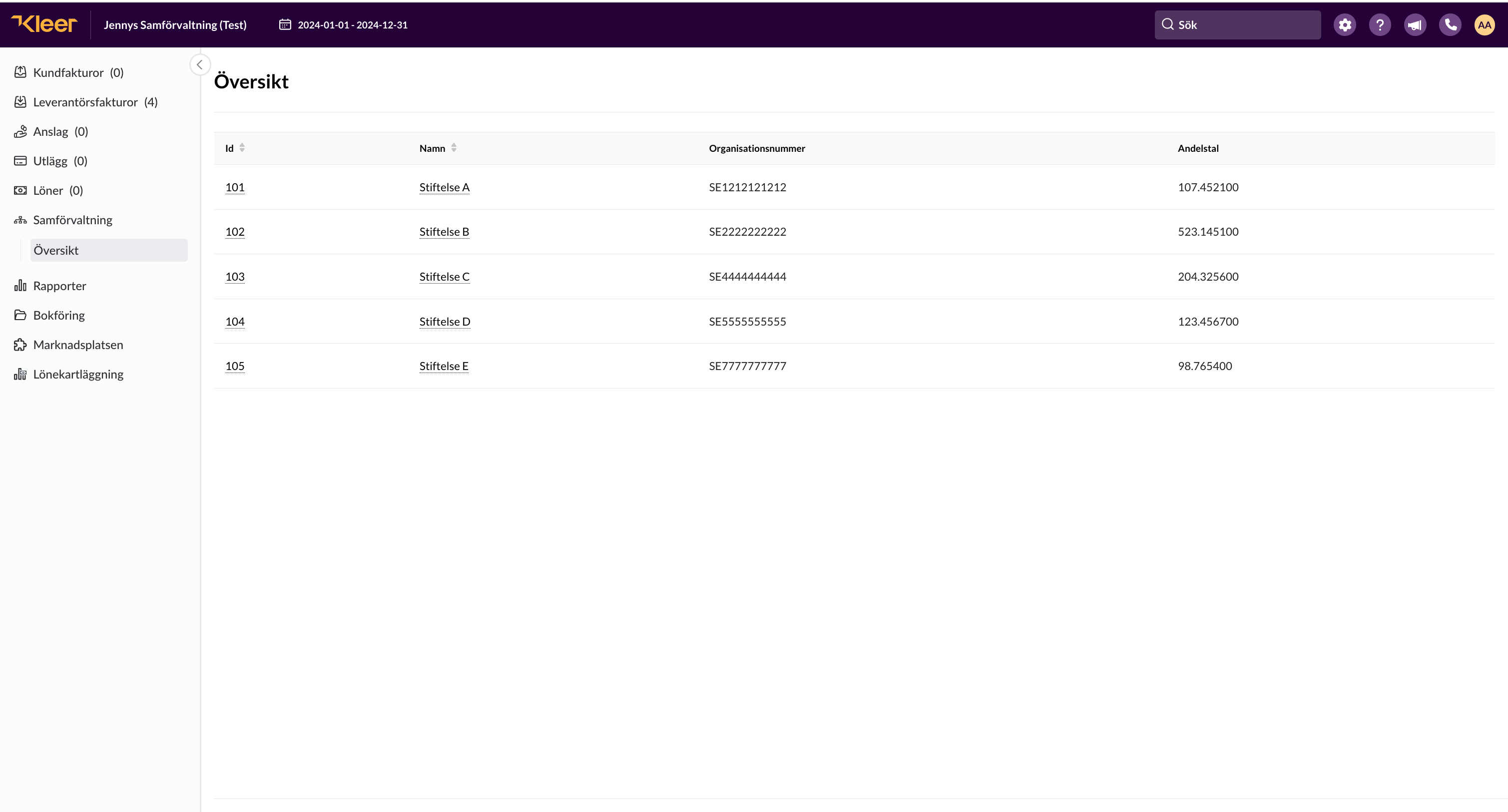
All foundations that are part of the co-management are set up in the system and are shown under Co-management > Overview in the left-hand menu.
Overview
The overview shows all the foundations that are part of the co-management, including organisation number and share.
Kleer’s staff make sure this register is up to date. If anything needs to be changed, please contact your consultant team.
Information about an individual foundation
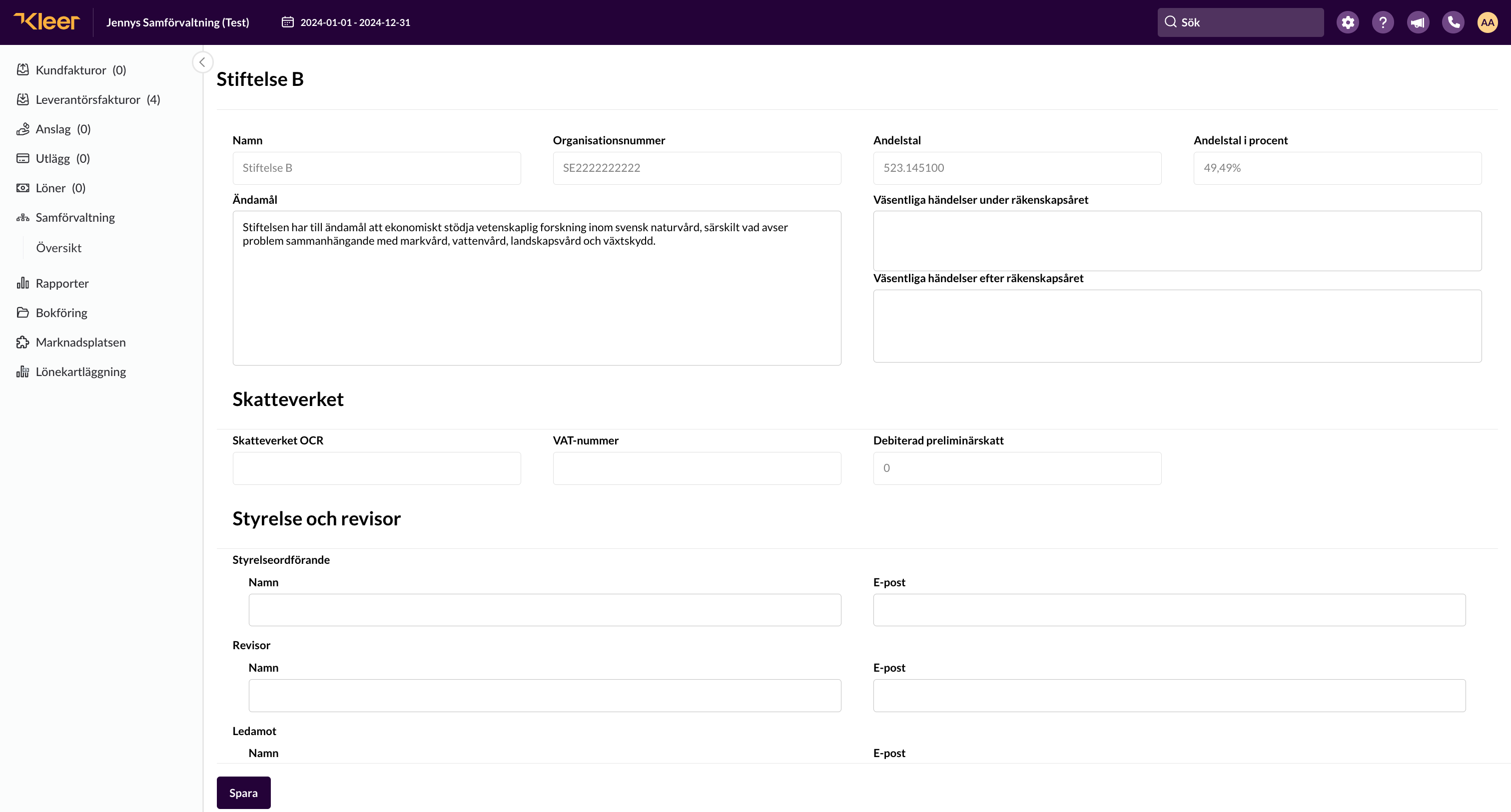
If you click the ID number or the name in the overview, you come to a view that shows more information about the individual foundation.
Only Kleer’s staff can edit Name, Organisation number, Share and Share in per cent.
Users with Administrator permission can edit the other fields. Remember to save at the bottom if you have made changes.
Board and auditor are only used if individual foundations have their own board and auditor. If the co-management has the same ones, the information does not need to be filled in for each foundation.
Category
In addition to being a row in the overview, each foundation in the co-management is also a category. These categories are created by the system, and there is a 1 to 1 relationship between foundation and category. It is not possible to create your own in the category called “Foundation (Standard)”.
This category is used to mark which foundation or foundations a transaction belongs to.
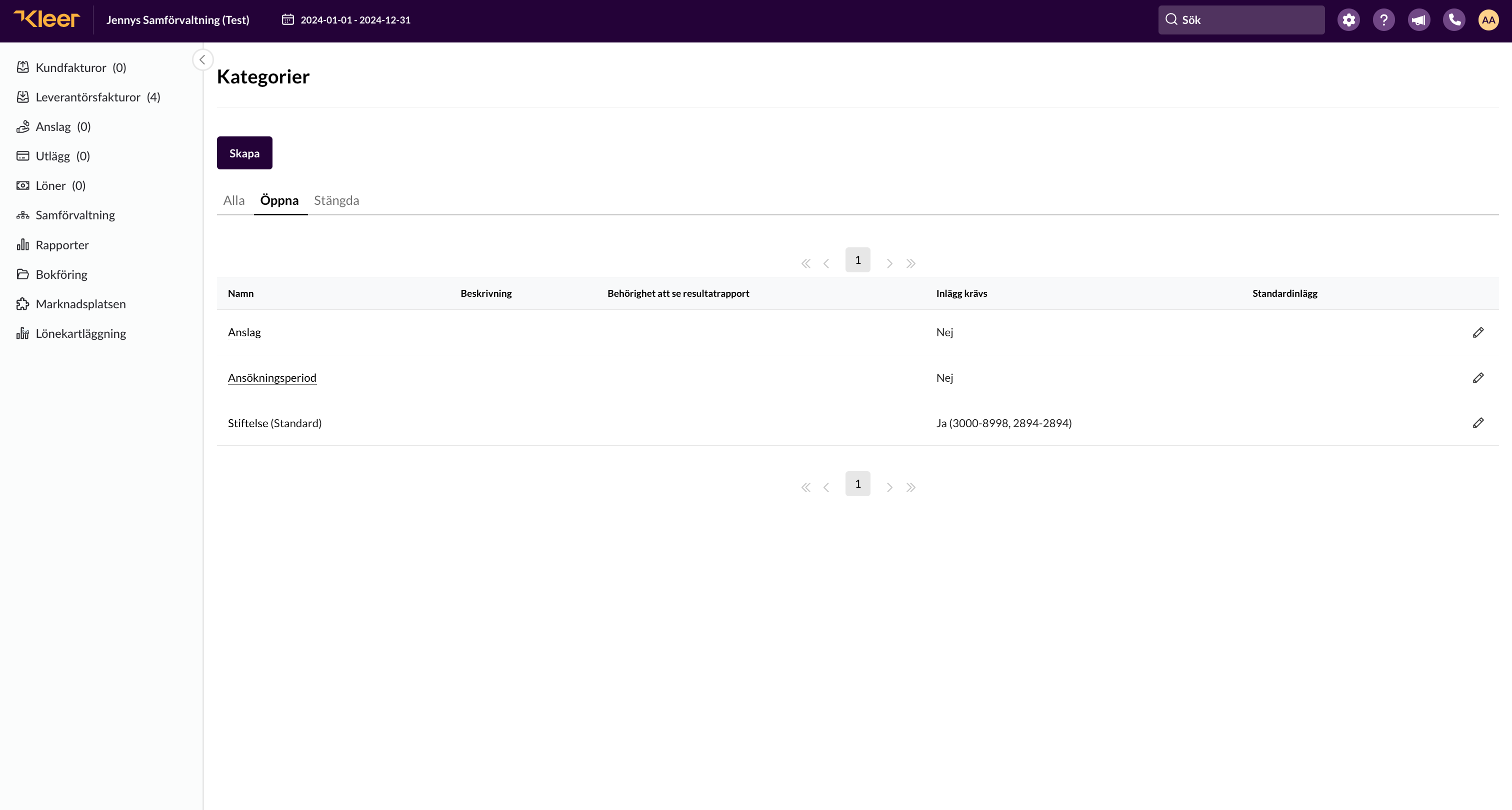
Under Settings in the top menu there is an option for Categories.
Here there is a category called Foundation (Standard)
Kleer’s consultant team has entered the accounting accounts where it is mandatory to state this category. If you want to make changes to this, please contact your consultant team.
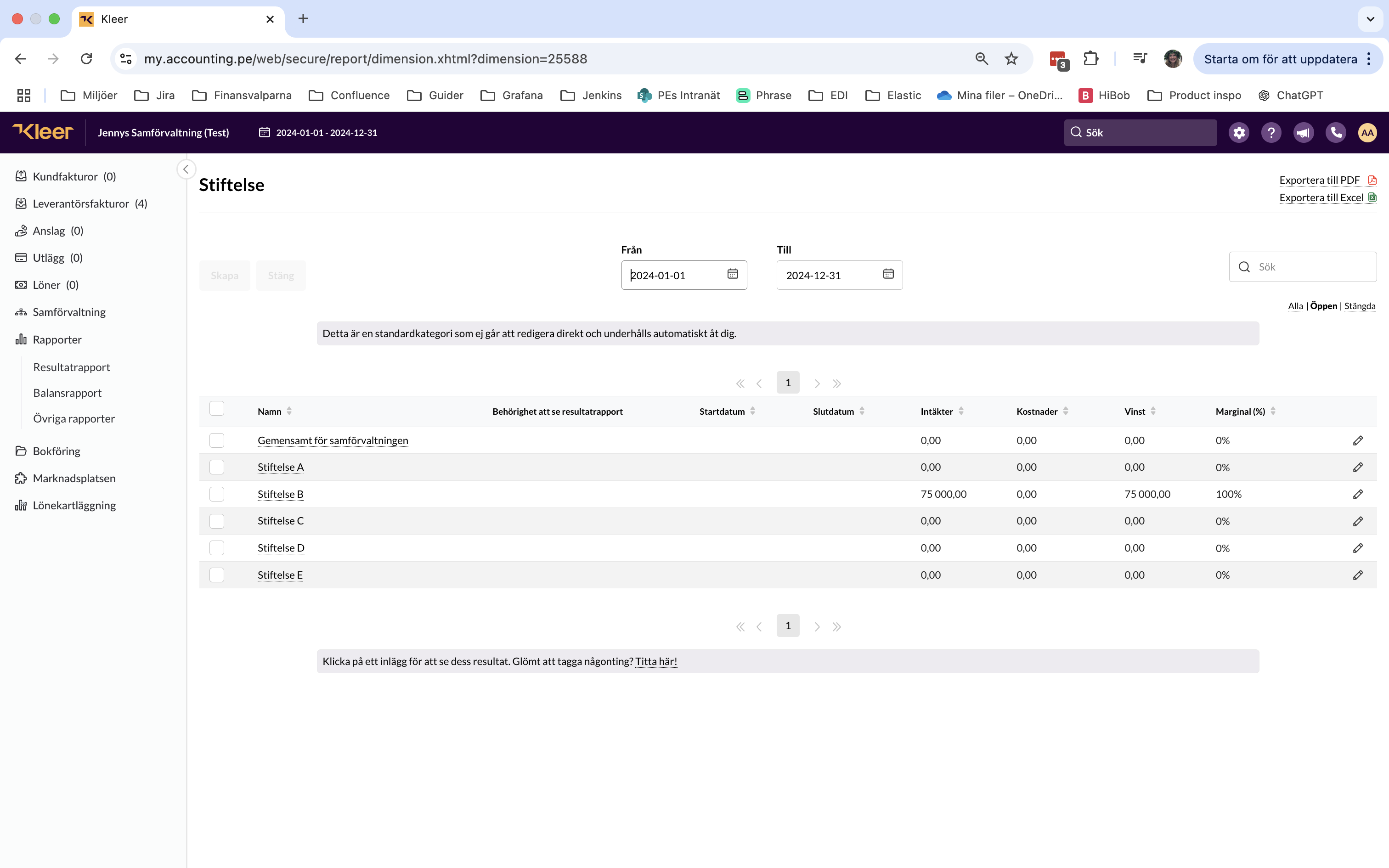
If you click Foundation (Standard) from the overview, you come to the list of all the selectable category entries within the Foundation category.
Each foundation is a category entry of its own.
Joint for the co-management
There is a category entry called “Joint for the co-management”. It is used for all revenues and costs that are to be distributed according to share at the end of the year. Note that it is only to be used when the item is to be distributed according to share.
If, for example, an invoice is to be distributed so that everyone pays an equal amount, you instead distribute it by percentage using the categories of all the foundations. More about that in the section on supplier invoices.
Grants
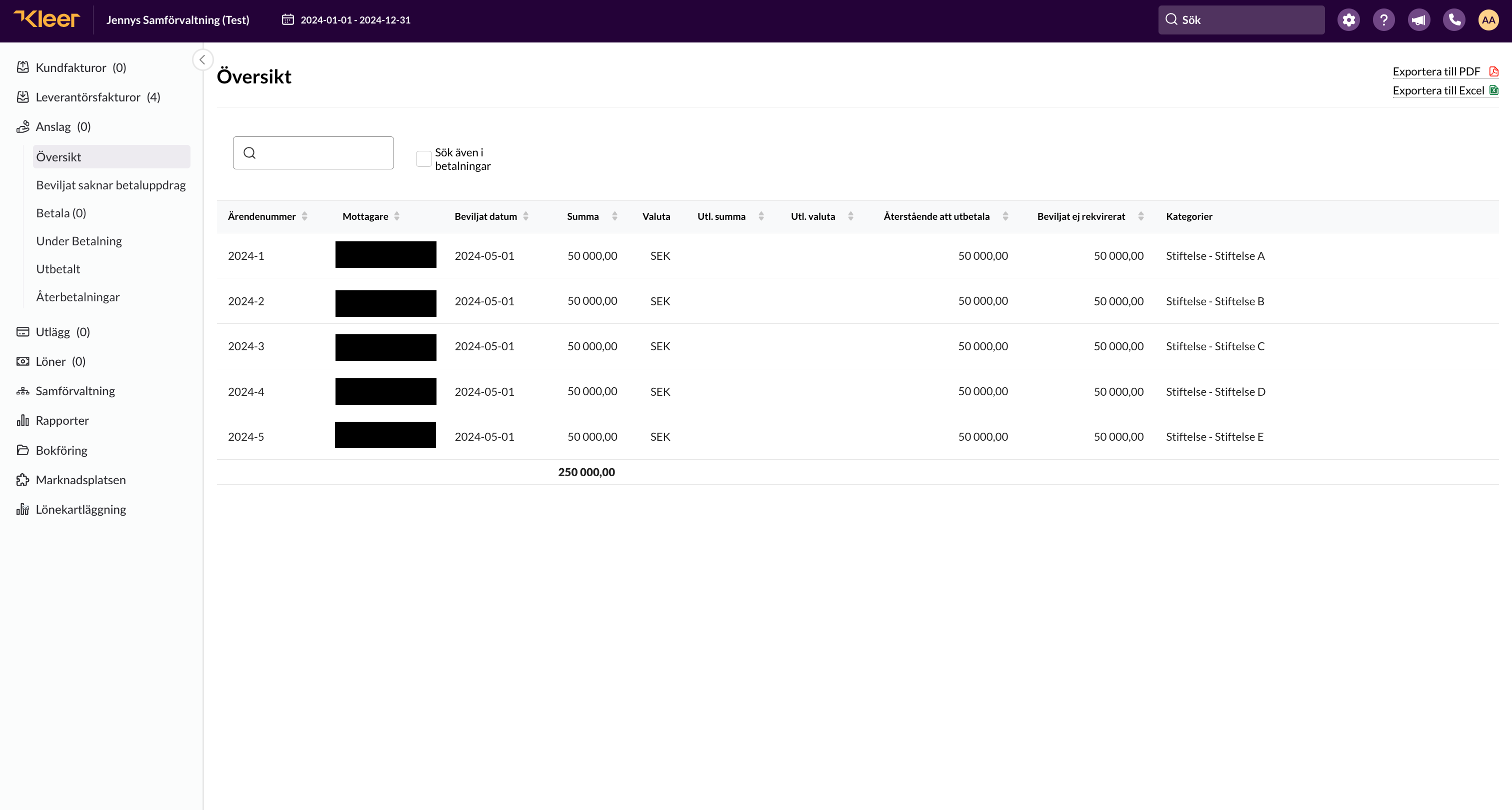
On every grant, the category for the foundation that awards the grant must be stated in the source system (SBS or Stiftelserummet). When the grant is received in Kleer, the category is shown in the overview, and in the accounts the system keeps track of how much has been granted for each foundation.
In the balance sheet you can group by the Foundation category and get a good overview of how much has been granted in each foundation. All foundations that have been set up are shown in the grouping, even those that have had no movements in the selected period.
You can also state more categories than the Foundation category if you want to follow up on something else, such as grant type or similar, but the Foundation category must always be stated.
Remuneration and salaries
All types of salary payments must be tagged with the foundation that is to bear the cost. If the cost is to be distributed according to share, Kleer must be told which organisation number the employer’s return is to be made for. If a remuneration or salary is tagged with a specific foundation, the employer’s return will be made for that organisation number unless otherwise agreed.
A remuneration or salary must be tagged with the Foundation category to be authorised. If it is missing, an error message is shown in the system.
State on the user which foundation is to be charged
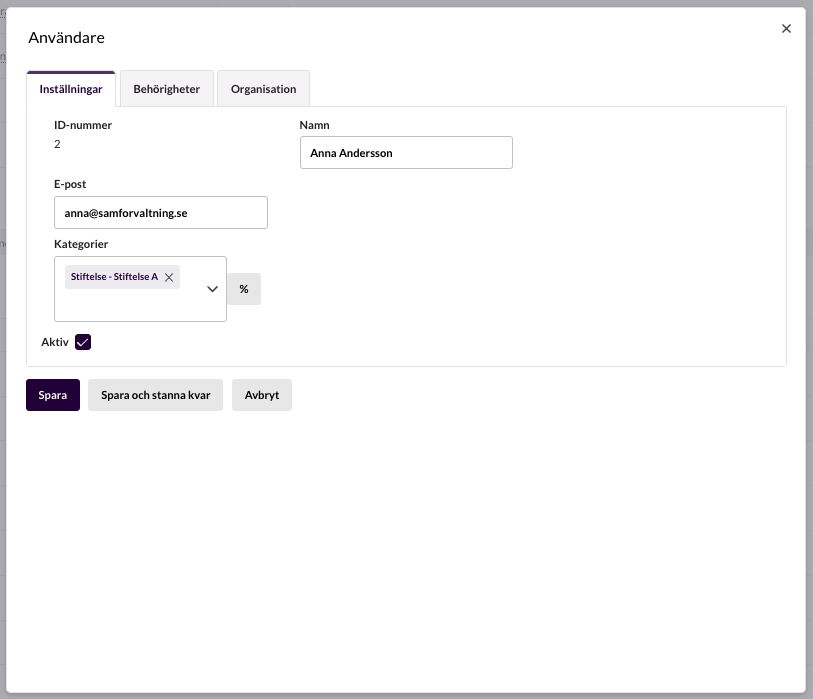
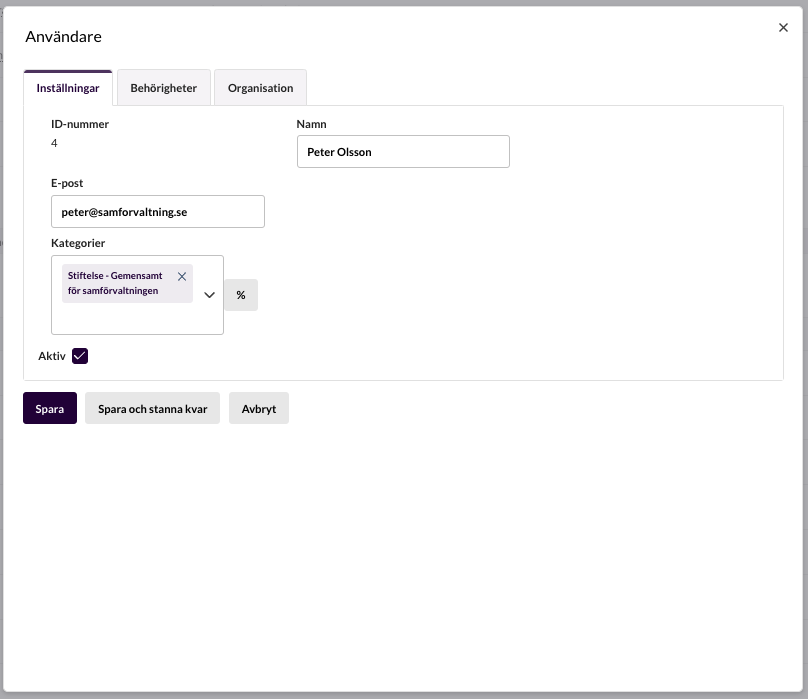
If a user’s payroll costs should always be tagged with the same foundation, or with Joint for the co-management, you can state which foundation it is on the user. When salaries or remunerations are then created, they are tagged automatically with the user’s category or categories.
Expenses
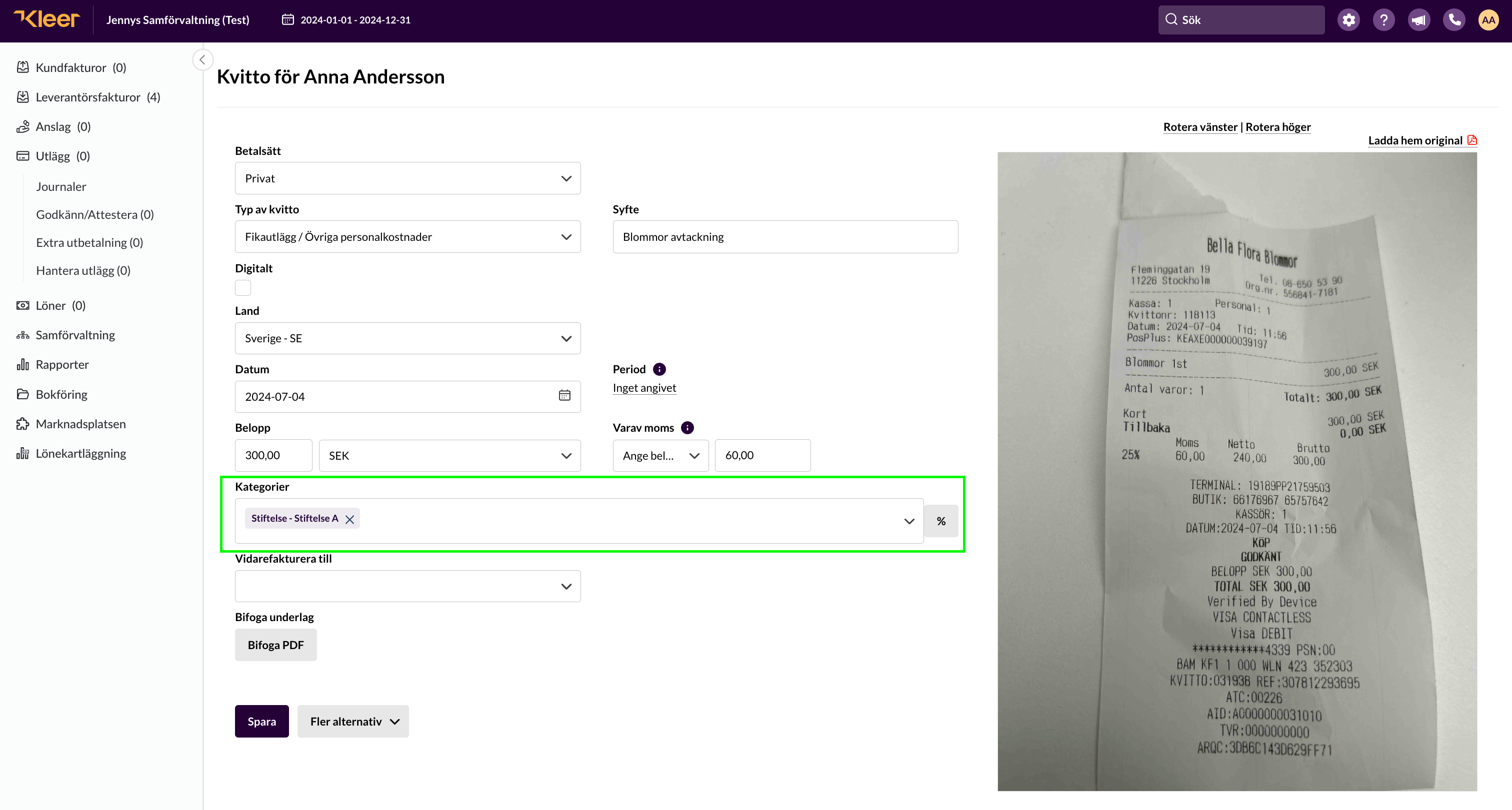
On expenses too, the user’s category or categories are added if they have been stated in the user register. If they are not stated, you can state a Foundation category when the expense is registered.
Supplier invoices
The Foundation category is in principle always mandatory on supplier invoices. Either the cost is attributable to one foundation, or to all of them and distributed according to share. It is also possible to distribute an invoice across a number of foundations in the co-management. You do this by clicking the % sign next to the category field.
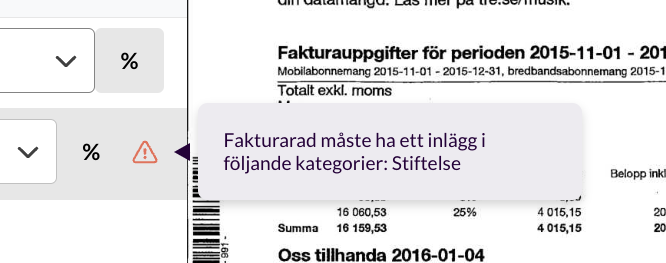
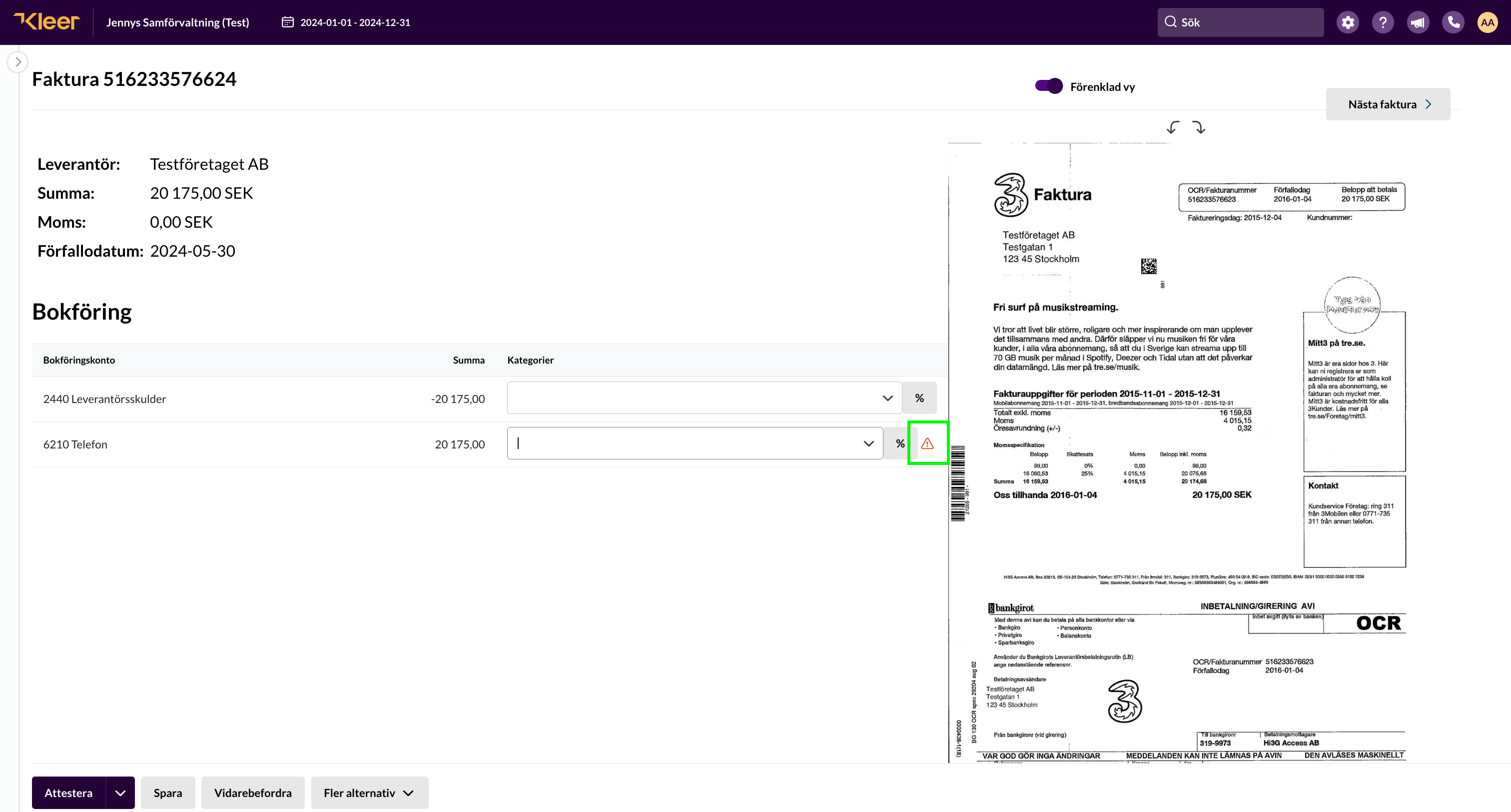
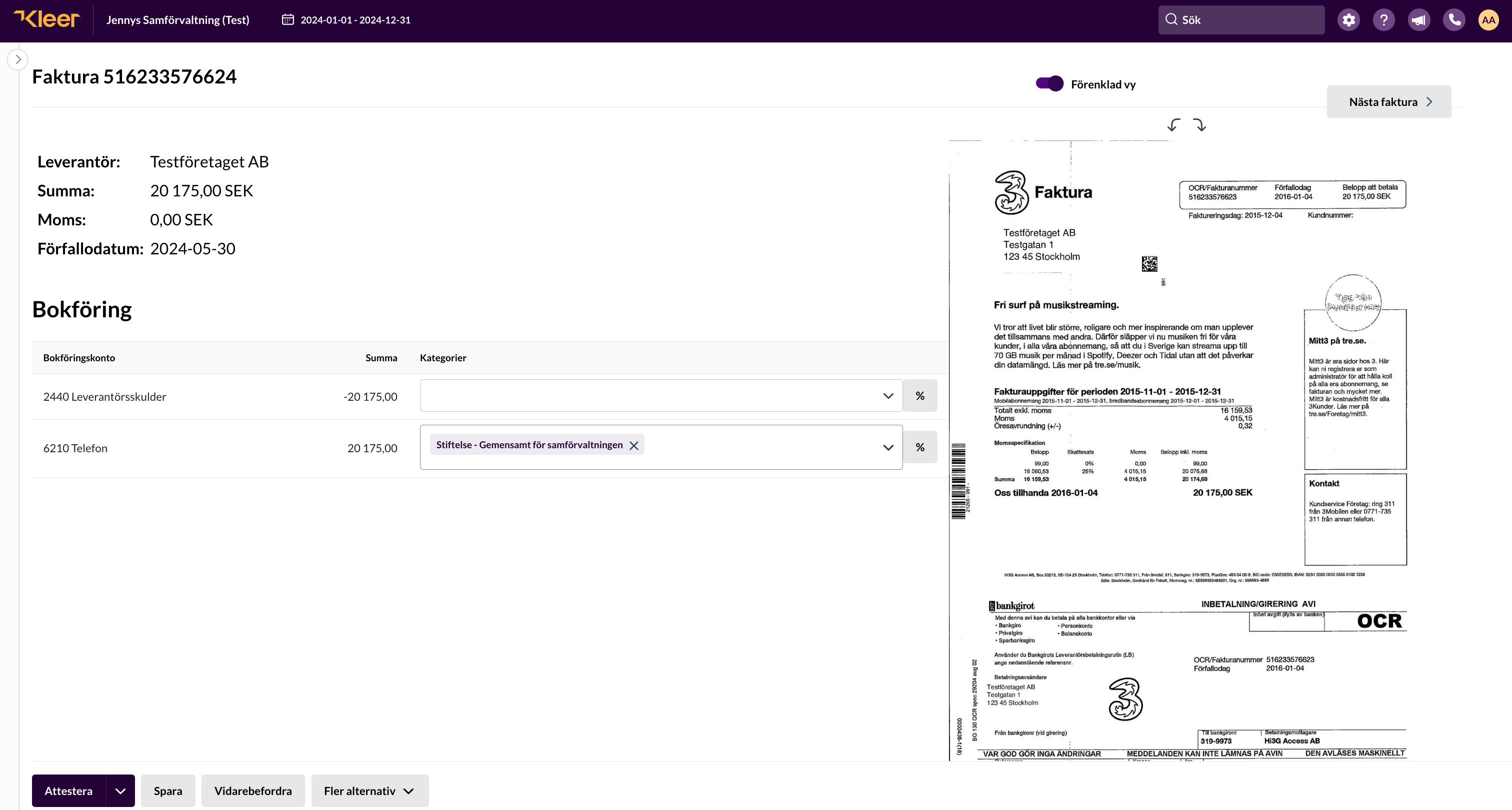
A warning triangle is shown if a mandatory category is missing.
It is not possible to authorise invoices that lack mandatory categories, and therefore not to pay them either.
To reduce the ongoing administration, you can state in the supplier register which foundation category a supplier should have, if it is always the same. All invoices that arrive will then automatically have the category entered. This also applies if it is always the joint category that is to be used.
Even if a category has been entered for a supplier, it can be changed when the invoice is authorised.
Customer invoices
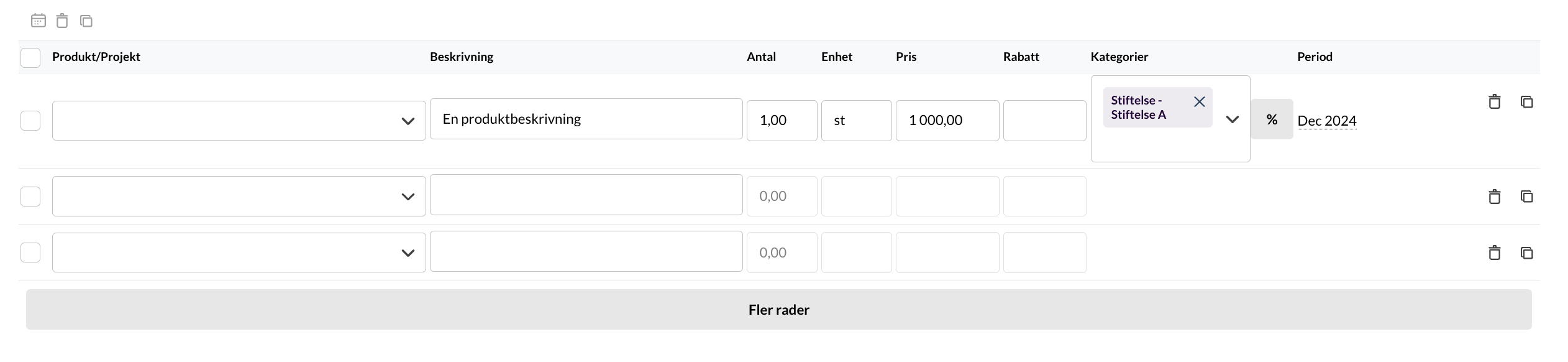
On customer invoices you can state a category on each invoice row. You can also set in the customer register that a customer should have a certain category, and that category is then added to every invoice row. Another way to make things more efficient, if the revenues are individual or joint, is to state on the customer invoice products which category should be the default.
Gifts
Gifts received by individual foundations must be tagged with the Foundation category. This is done by Kleer’s staff when the gift is booked. It is important that Kleer is told the nature of the gift (restricted or unrestricted) and which foundation it is for. The information is easiest to send by email to the Accounting Specialist.