

Remuneration
Guide to the different types of remuneration and support payments in foundations
Kleer supports three types of remuneration, and they are booked and declared differently, so it is important that you as a user choose the correct type.
- Board remuneration
- Used for people who sit on the foundation’s board and receive payment for that work.
- Support (taxable)
- Used for people who receive taxable contributions from the foundation where social security contributions are not to be paid.
- Other remuneration
- Used for people who receive payment for work in the foundation but are not employed. For example for administration work or for reviewing grants.
How do I get my remuneration paid out?
Option 1: the recipient registers their own remuneration
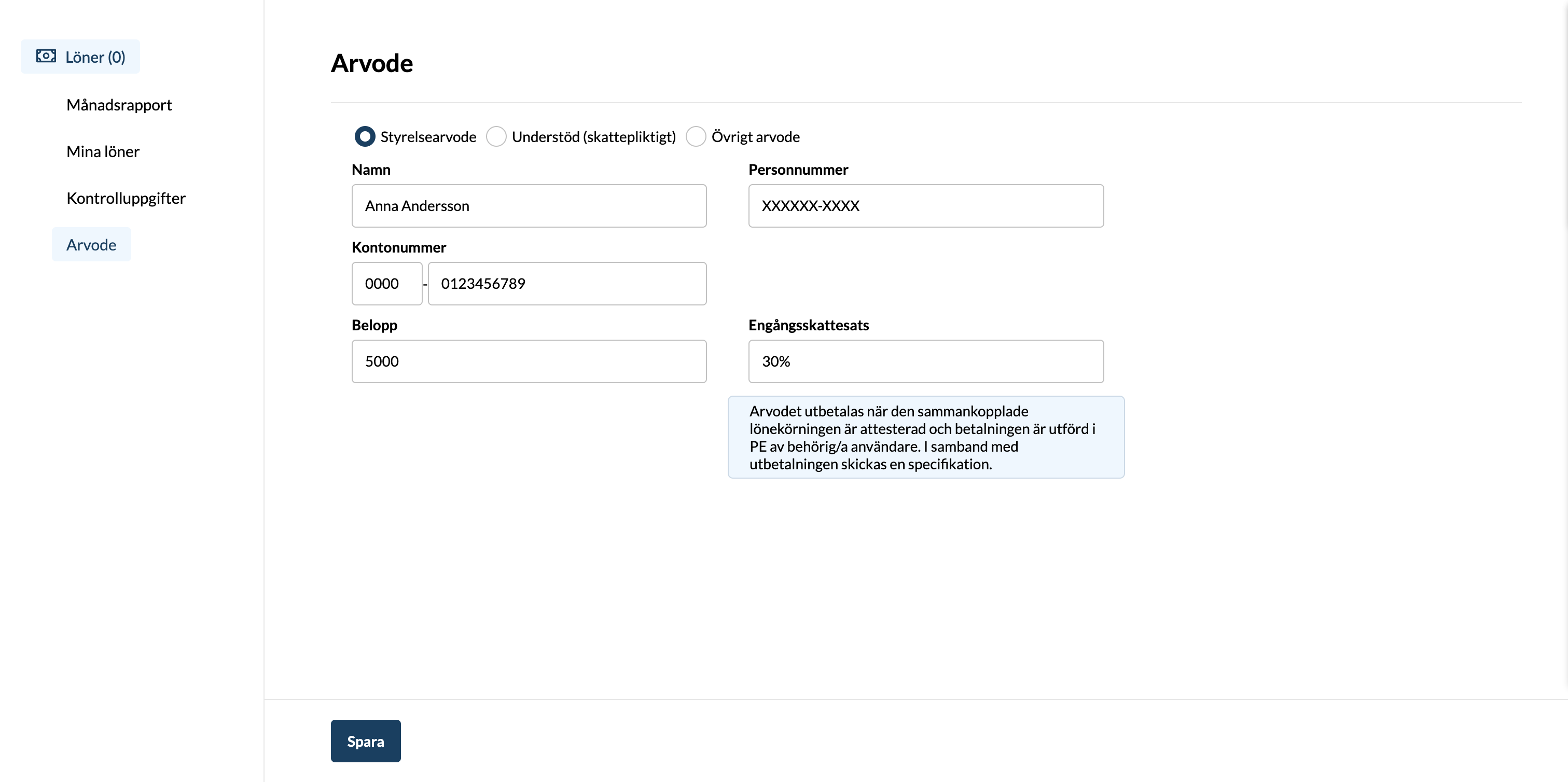
In the left-hand menu you find “Payroll”, and under that option there is “Remuneration”. If you do not see this option, please contact the Kleer administrator in your foundation so that they can give you the correct permission.
On this page there is a form that you fill in every time you want your remuneration paid out. The first time you fill in the form you also enter your personal identity number and bank account. The next time these are pre-filled for you, but of course you can change them.
- Board remuneration / Support (taxable) / Other remuneration: Enter the type that your remuneration refers to. If you are to receive several types, you fill in the form several times.
- Name: Enter your name. This field is pre-filled with the name on your user.
- Personal identity number: Enter your personal identity number.
- Account number: Enter the account number that you want the money paid into. In the first field you enter the clearing number and in the second the account number.
- Amount: Enter the amount you are to receive as remuneration/contribution, stated gross, that is before any tax.
- One-off tax rate: Is set to 30% by default but can be adjusted if you wish. It is not possible to enter 100%, however. Note that the most recently saved one-off tax rate applies to all unauthorised remunerations/salaries.
Option 2: an administrator registers the foundation’s remunerations
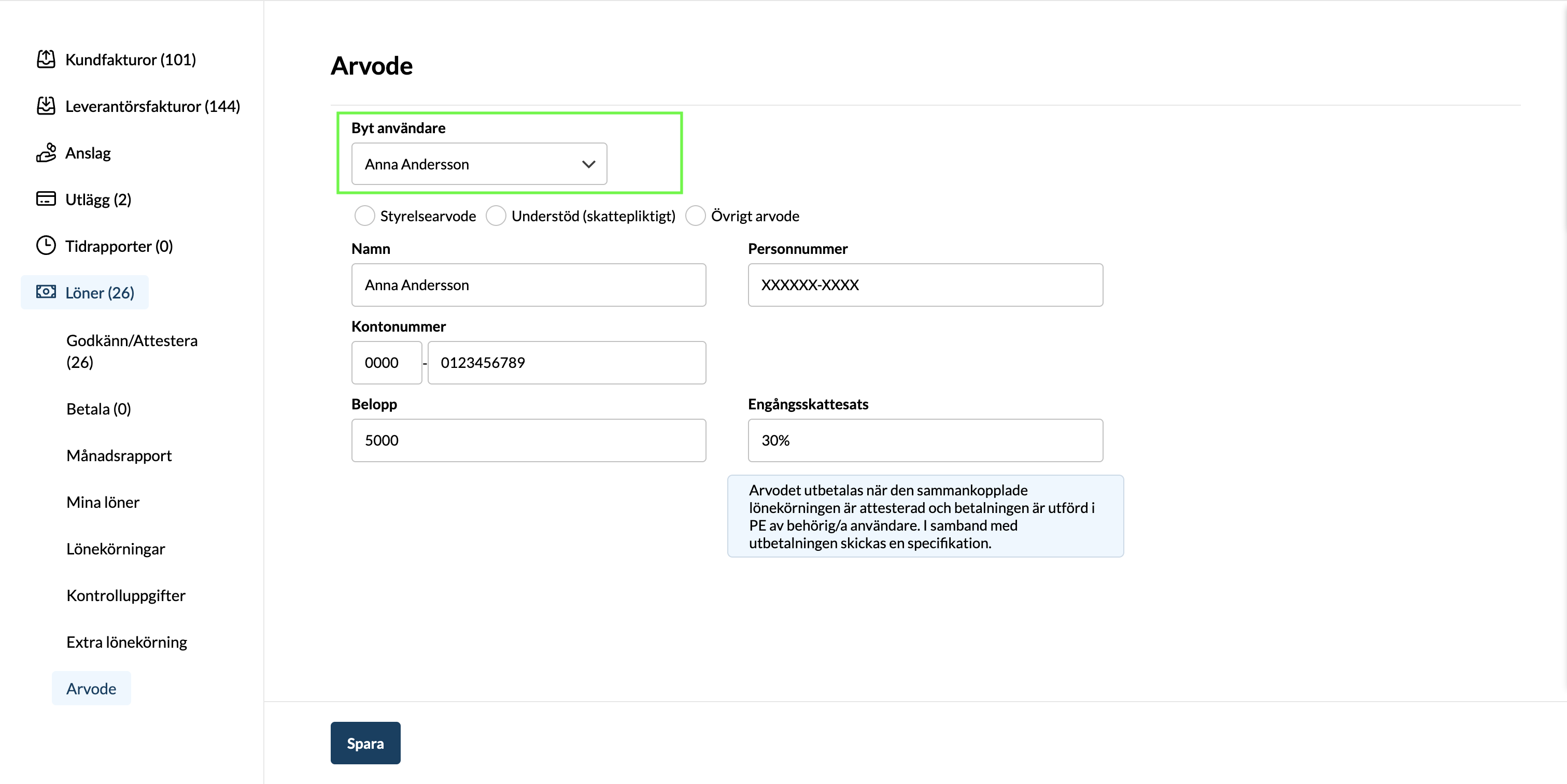
To be able to do this, you need the permission “Administrator (incl. payroll, remuneration & expenses)”.
For users with this permission, a field is shown where you can change which user you are registering remuneration for.
When do I get my remuneration paid out?
Remunerations are paid out as soon as they are authorised and later also paid in Kleer. To be able to authorise remunerations you need the permission Administrator (incl. payroll, remuneration & expenses). To be able to pay out a remuneration you need the permission Pay out salaries.
Authorisation and payment
When a remuneration has been registered by a recipient or an administrator, it ends up in a list for authorisation. You find it under Payroll in the left-hand menu and then the submenu item Approve/Authorise. Remunerations end up as separate payroll runs, one payroll run per remuneration.
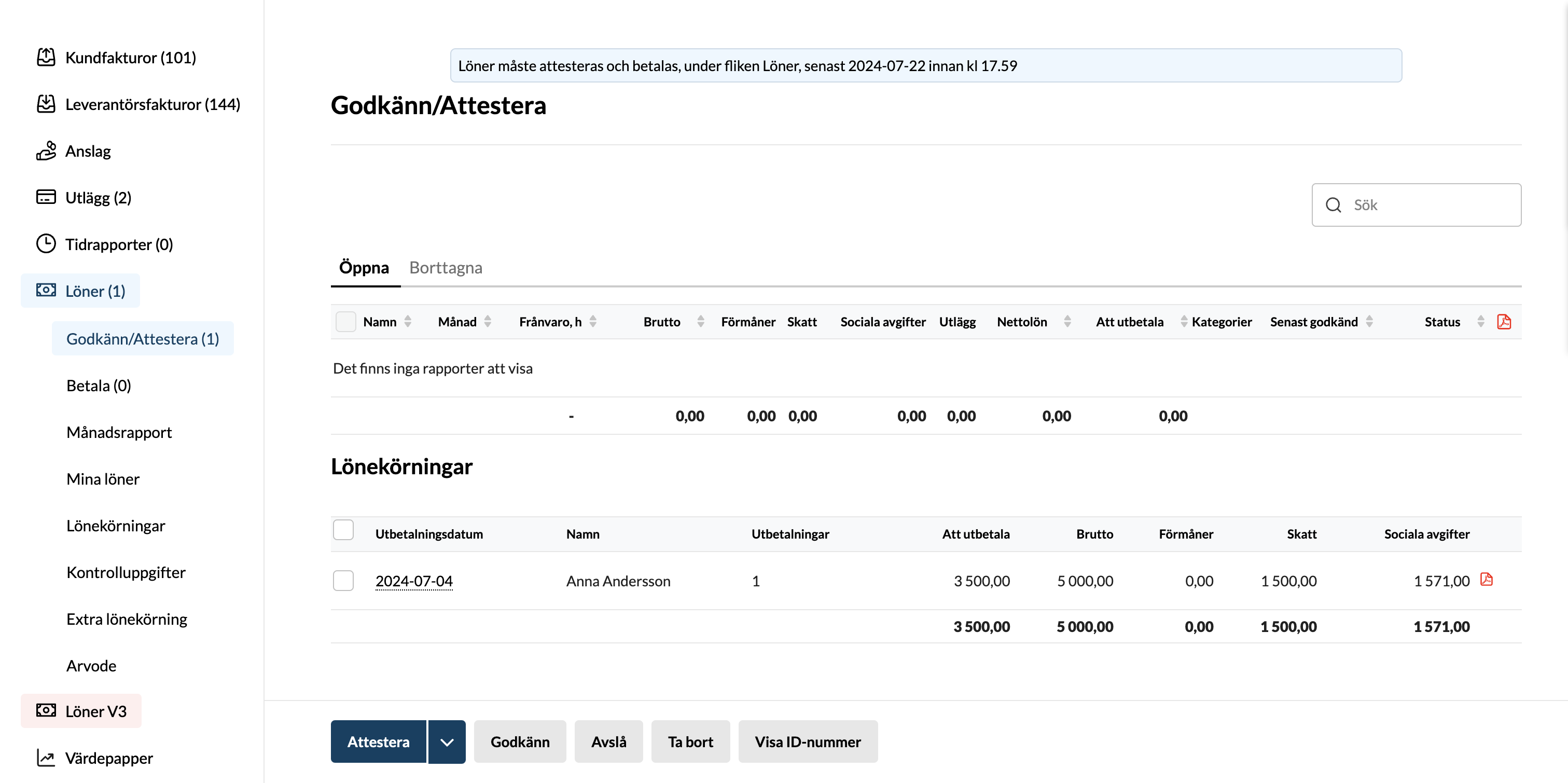
Users with the permission “Administrator (incl. payroll, remuneration & expenses)” have the right to authorise a remuneration, and depending on the setting, a user may or may not authorise their own remuneration. If you are not sure which setting you have, contact Kleer.
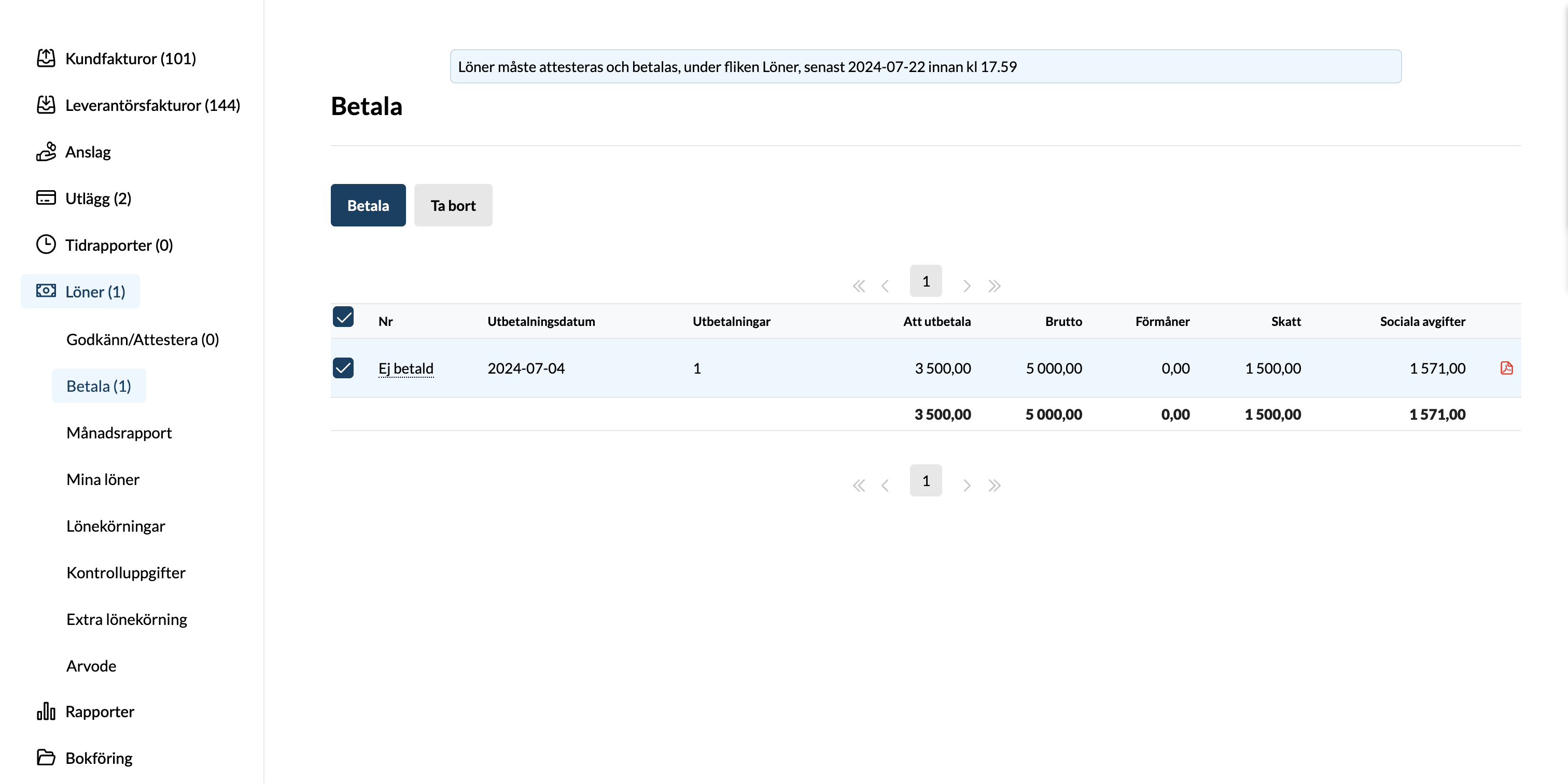
When the remuneration is authorised, it ends up under Payroll and then Pay in the left-hand menu.
From this view, a user with the permission “Pay out salaries” can approve the payment so that it is sent to the bank for payout.
Declaration
Kleer handles the employer declaration for you as a customer, provided that we have been added as a tax return agent with the Swedish Tax Agency. If you need help with that, get in touch.
| Remuneration type | Tax | Social security contributions | Box in the return (AGI) |
|---|---|---|---|
| Board remuneration | X | X | 011 + 023 |
| Other remuneration | X | X | 011 |
| Support (taxable) | X | – | 032 |
FAQ
What do I do if I have chosen the wrong type of remuneration by mistake?
Contact Kleer, as it needs to be adjusted so that it is booked correctly and is right for tax and declaration purposes.
I want the remuneration to be paid out on a different day than the one shown. How do I do that?
In the payroll run you can change the date the payout is to be made. Depending on where in the process the payroll run is, you may need to click Unlock to be able to adjust the date.
Do I need to create an employment contract for everyone who is going to receive some type of remuneration?
No, if the user is only going to receive remuneration and no “regular” salary, you do not need to. A contract is created in the system when the first remuneration is registered, however, because of system requirements.