

Introduction to Projects in Kleer
There are many reasons to use projects in Kleer.
Projects enable follow-up and structure
There are many reasons to use projects in Kleer. You get a structure with a project manager and members, you can track income and costs on the project, and you can follow up on reported time. In this guide, we explain how it all fits together and how you work with projects in Kleer.
How do projects work in Kleer?
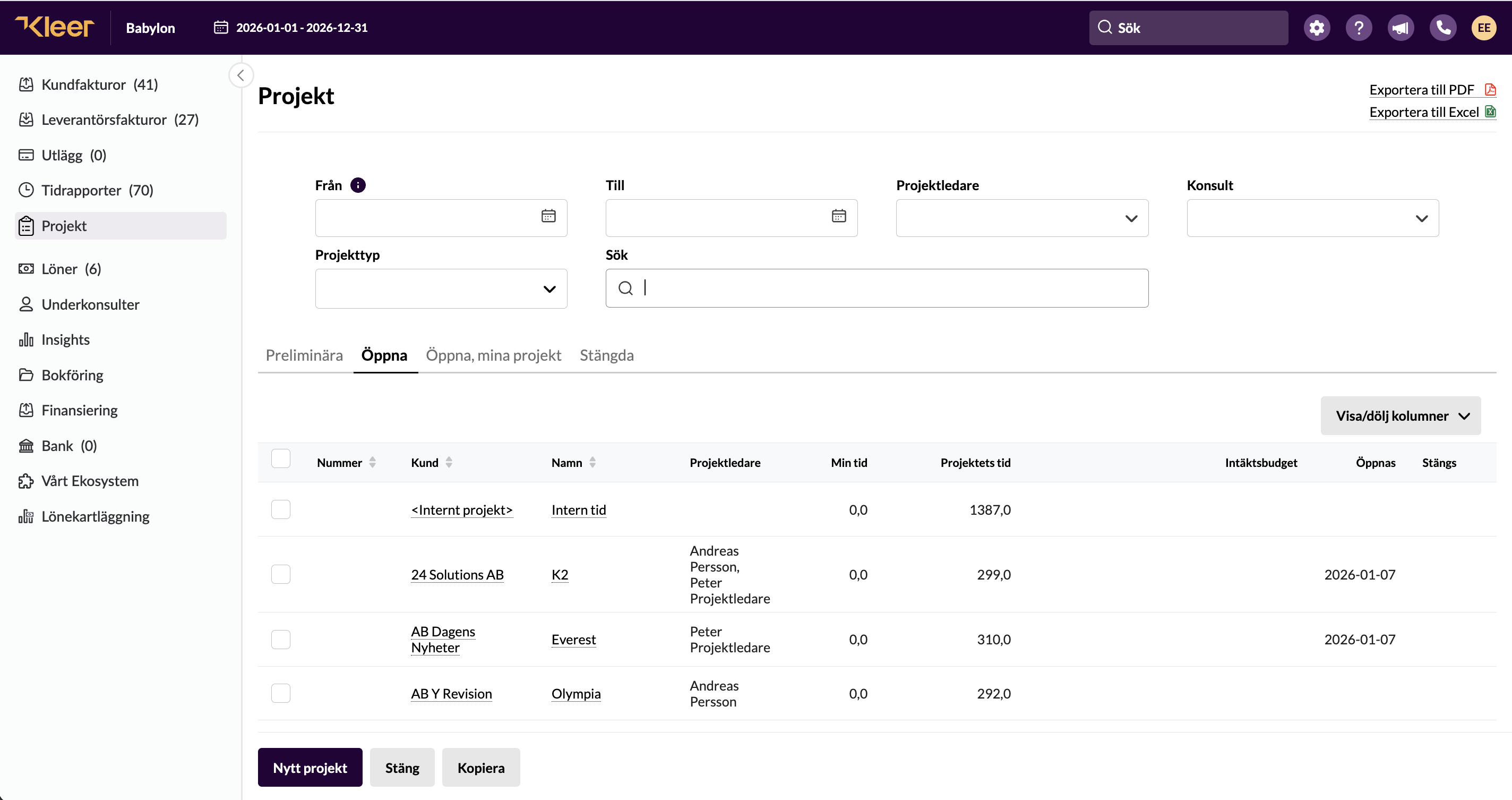
Projects are a central part of a company’s follow-up. The function in Kleer links costs from invoices, receipts and salaries together with income from customer invoices and hours worked. Projects can be internal or external, on a running account basis or settled at a fixed price. We will cover more on that below. We will also go through the types of projects you can work with in Kleer, how best to create the projects, and the prerequisites for making it work as smoothly as possible. We will also show the connection between time reporting, users and other settings.
Projects are a good way to follow up on income, costs and time. The function itself is part of our time reporting module and is available to you if time reporting is switched on and included in your agreement with us. When time reporting is activated, projects are switched on automatically. All projects are also created as a category so that you can follow up on income and costs in the project. If you do not have time reporting and would like to know more, contact your Kleer consultant, who will tell you more about what it costs and how it would work for you.
What is needed to create a project?
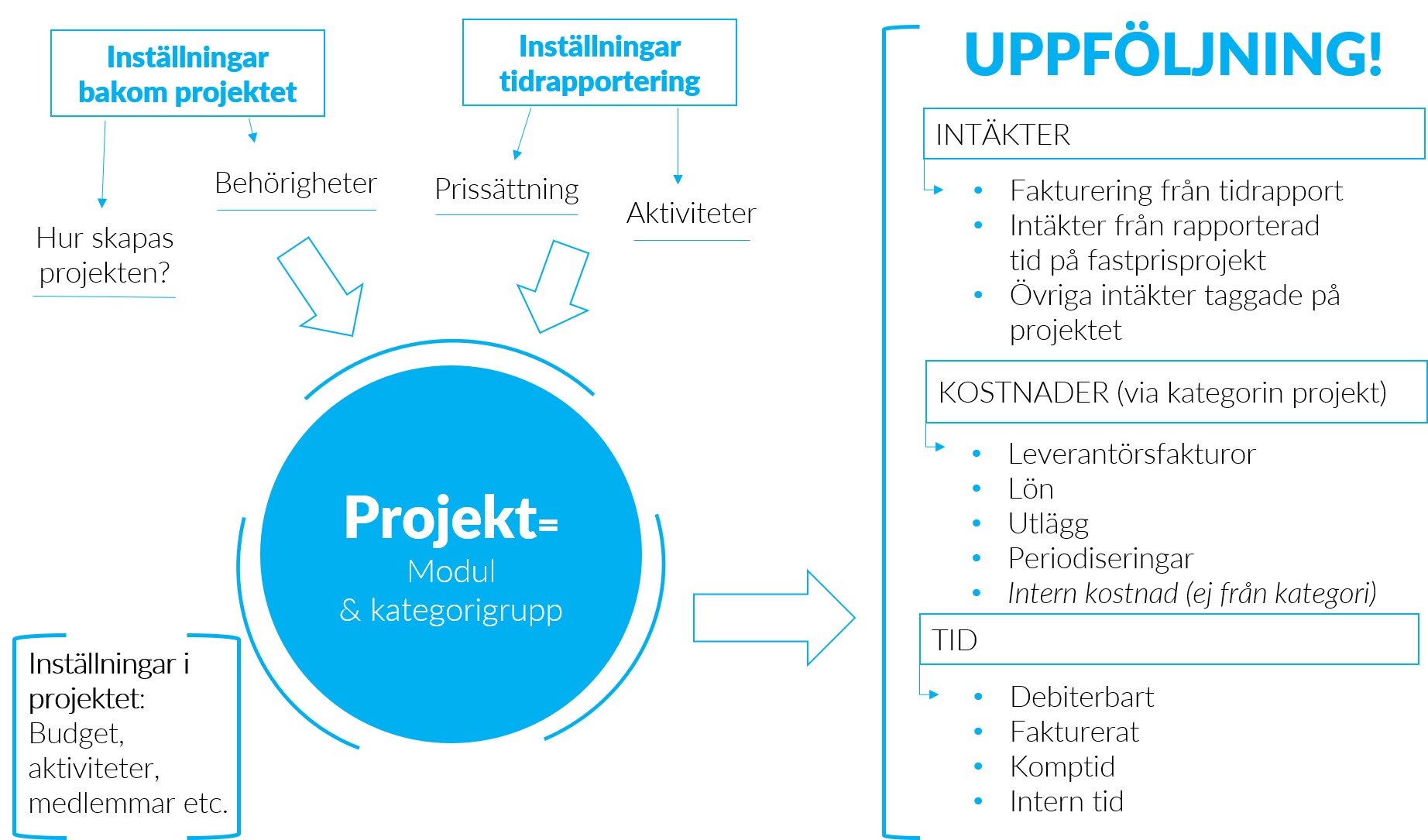
It can be useful to think through how you want to work with projects. Among other things, consider which activities your employees should report on, as well as any individual pricing per person, before you get started. By activity we mean the service the employees perform in this particular project. In Kleer, an activity is linked to a product that controls the revenue account, accrual and type of VAT. You can also link an activity to a payroll item; in this way the reported time can generate salary for the employee automatically. Once you have this in place, you have everything you need to set up all the settings when you create the project.
Think through the following:
- What structure do your projects have?
Should each project correspond to a customer? Or do you want to create individual projects, perhaps several projects per customer over time?
How you reason here lays the foundation for what your company settings should look like. Can Kleer create a project automatically when a new customer is created, or do you create the projects yourselves when you need them?
- Running account, fixed price, internal or external?
Do you work with internal projects, billable projects for customers, on a running account basis or at a fixed price?
This can of course differ depending on the project, and you control it when you create the project.
- What services do you perform?
What services do you sell? In Kleer, these services correspond to an activity that you perform and report on in time reporting. The activity is linked to a price, a product and more.
You can control which activities are to be reported on in the projects, and it can therefore be a good idea to make sure you have created all the activities you need before you create the project.
- Set the correct price on the users
If users have different prices and “favourite” activities, you can set this up from the start for each user.
It can then be made even more specific at project level, which you then set on the project in question.
Do you need time reporting in order to work with projects?
In Kleer, time reporting is a module that is connected to projects. The time reporting module needs to be activated in order to report and follow up at project level. Most companies with project accounting use it precisely in order to follow up on hours worked.
Do you want to work with projects to get the follow-up, the category tagging and the structure itself, but without needing your users to report time? Then you can use the project module; however, the time reporting module needs to be activated even though the users are not given access to it. That said, you should consider whether follow-up using categories in Kleer is a better alternative for you instead. There you can also follow up with different reports, enter a budget, give permission to different users to see the figures, and so on.