

Bank: Unhandled bank transactions
A guide for you as finance manager on how to handle the unhandled bank transactions that have been sent to you
Background and purpose of the function
Through the integration with your company’s bank, Kleer reads in your bank accounts’ balances and all bank transactions on the account every day. Most of the transactions are then booked automatically, but there is always a share that needs to be handled manually.
The purpose of the “Attachment requests” function is to make it easier to handle the bank transactions that cannot be booked automatically. This is for you as finance manager, but also for the consultants who have been hired to work for you. With the function you can upload documents for bank transactions and communicate through the comment function. The Kleer consultant attaches the bank transactions that need to be handled manually to you, so that you get the chance to upload documents and/or comment.
How does it work?
Your company’s consultants can mark bank transactions on your bank accounts that need manual handling and so attach them to you as finance manager for handling.
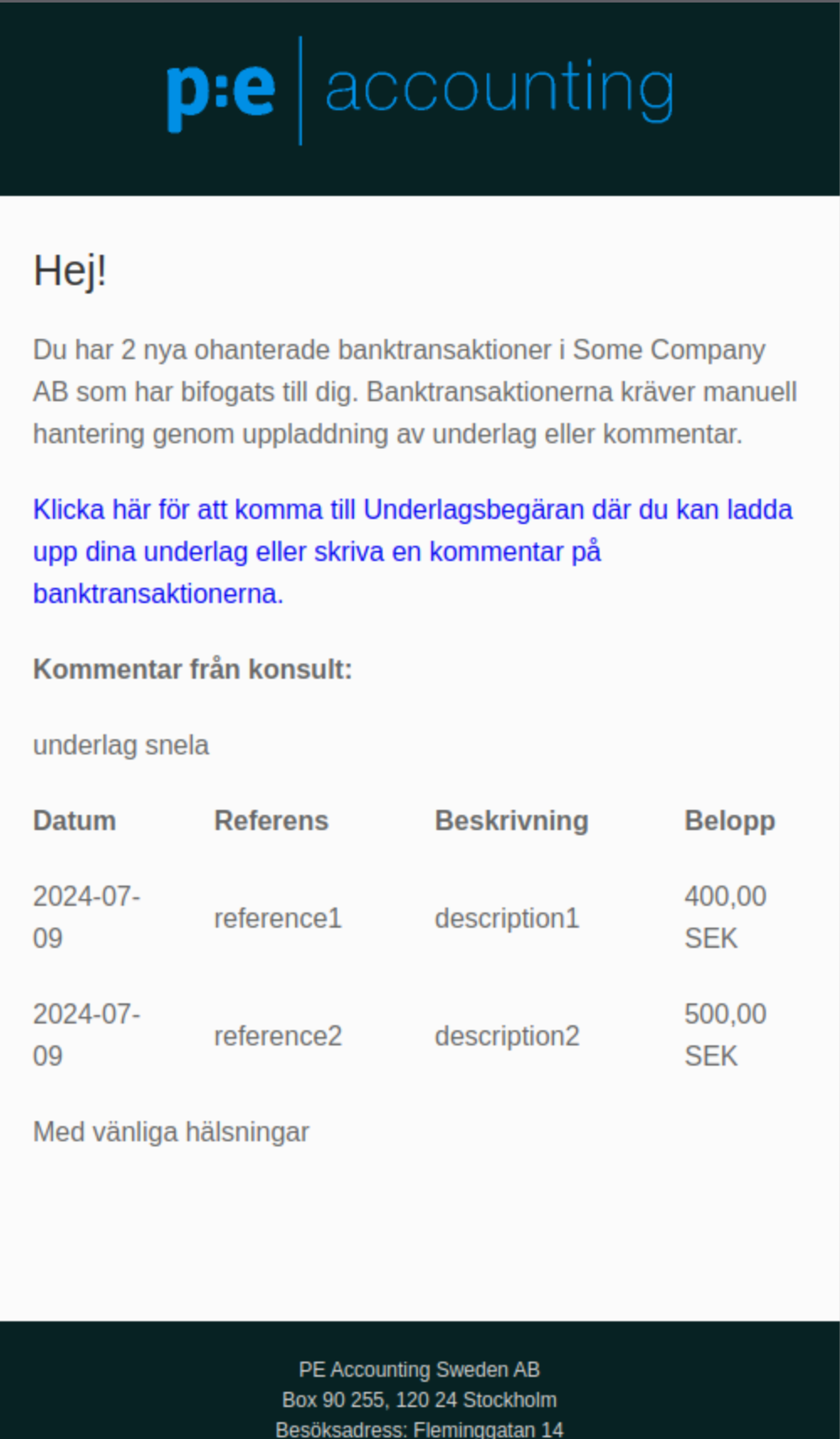

You then receive a notification that you have x unhandled bank transactions that need manual attention, by uploading missing documents and/or a comment.
In the side menu Bank > Attachment requests you see all the bank transactions that have been sent to you
How do you use the function as finance manager?
It is the Kleer consultants for your company who attach bank transactions that need manual handling. When one or more bank transactions are attached for handling, a notification goes out to one or more people responsible at your company. The consultant can control who receives the notification.
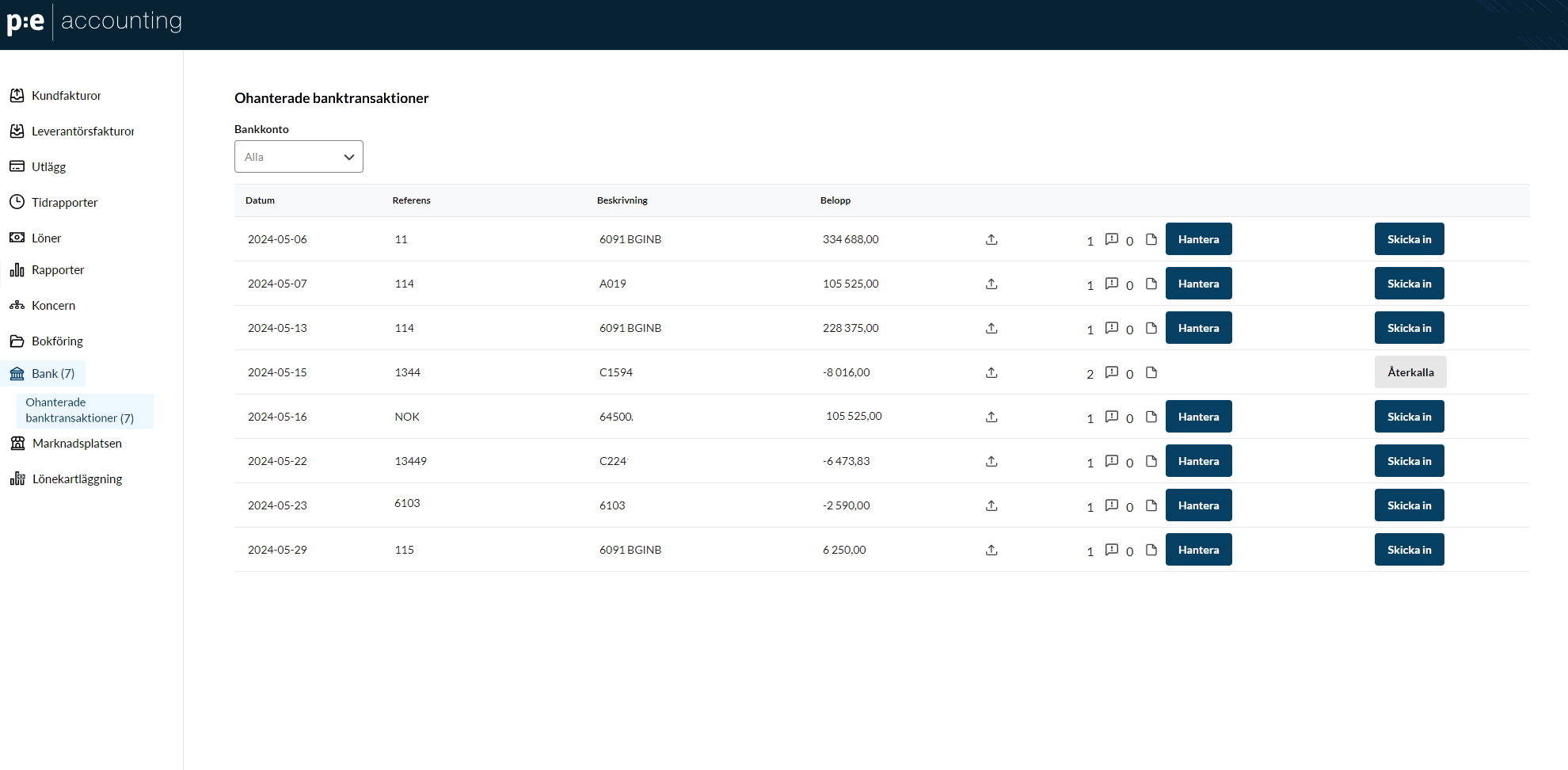
The bank transactions that have been forwarded for handling are shown on the new page Attachment requests, which is found under the menu item “Bank” in the side menu:
You can reach the page for handling bank transactions in three ways:
- Through the link in the notification that goes out by email/SMS when one or more bank transactions are attached
- Through a widget on the start page
- Through the side menu, Bank > Attachment requests
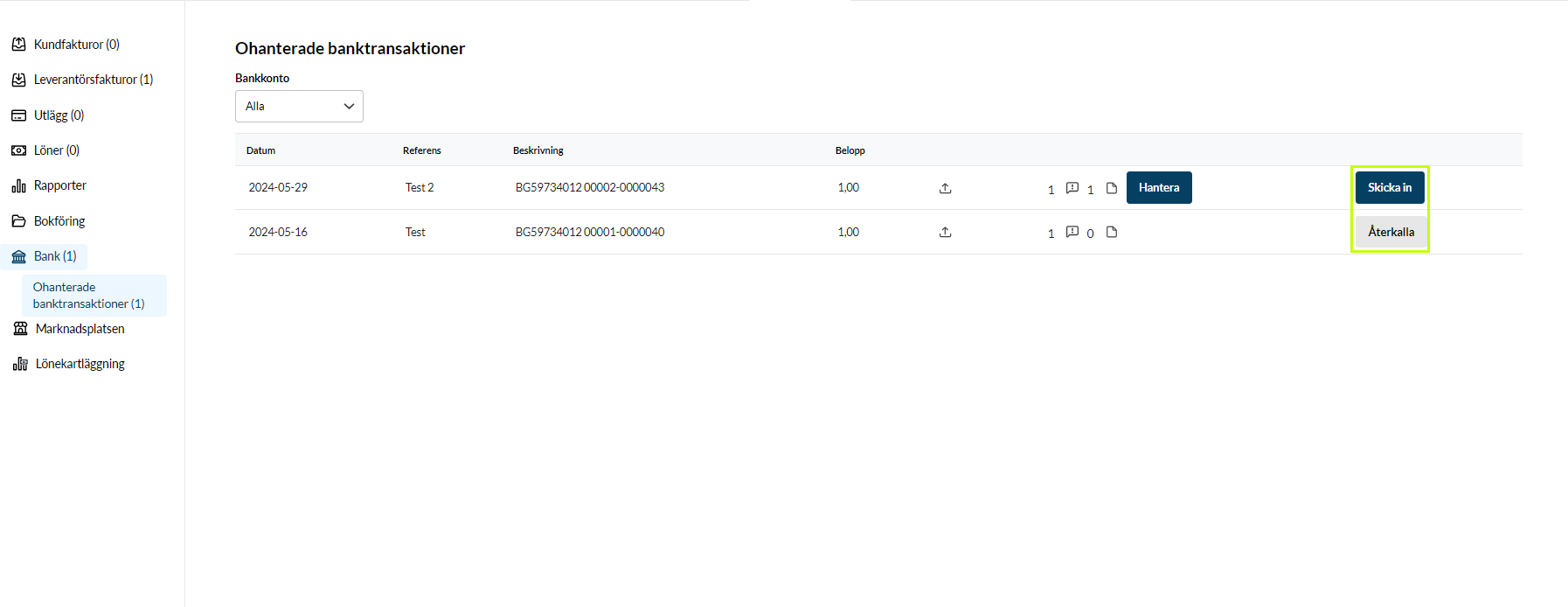
Once you are on the page, you see a list of all the bank transactions that have been attached. In the original view, bank transactions for all accounts are shown, but you can also filter on specific bank accounts.
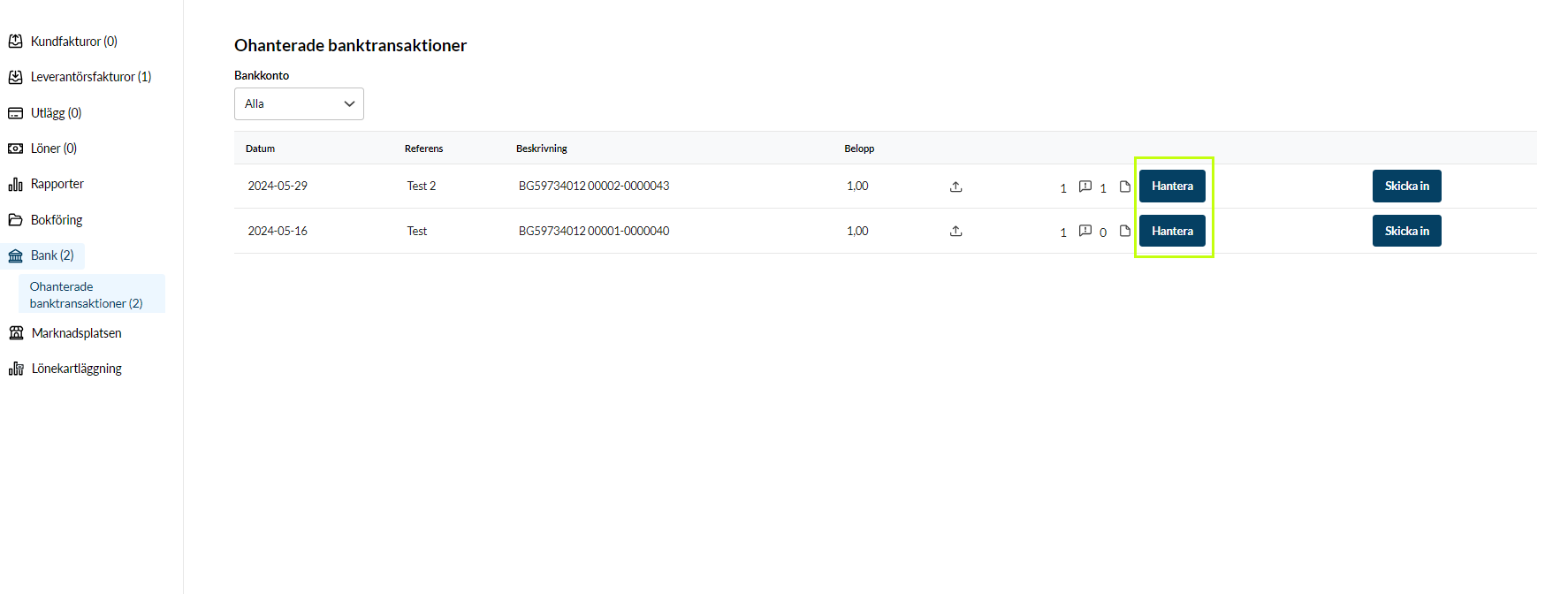
The Manage button
The Manage button is the main way for you to upload documents or reply to or write a comment.
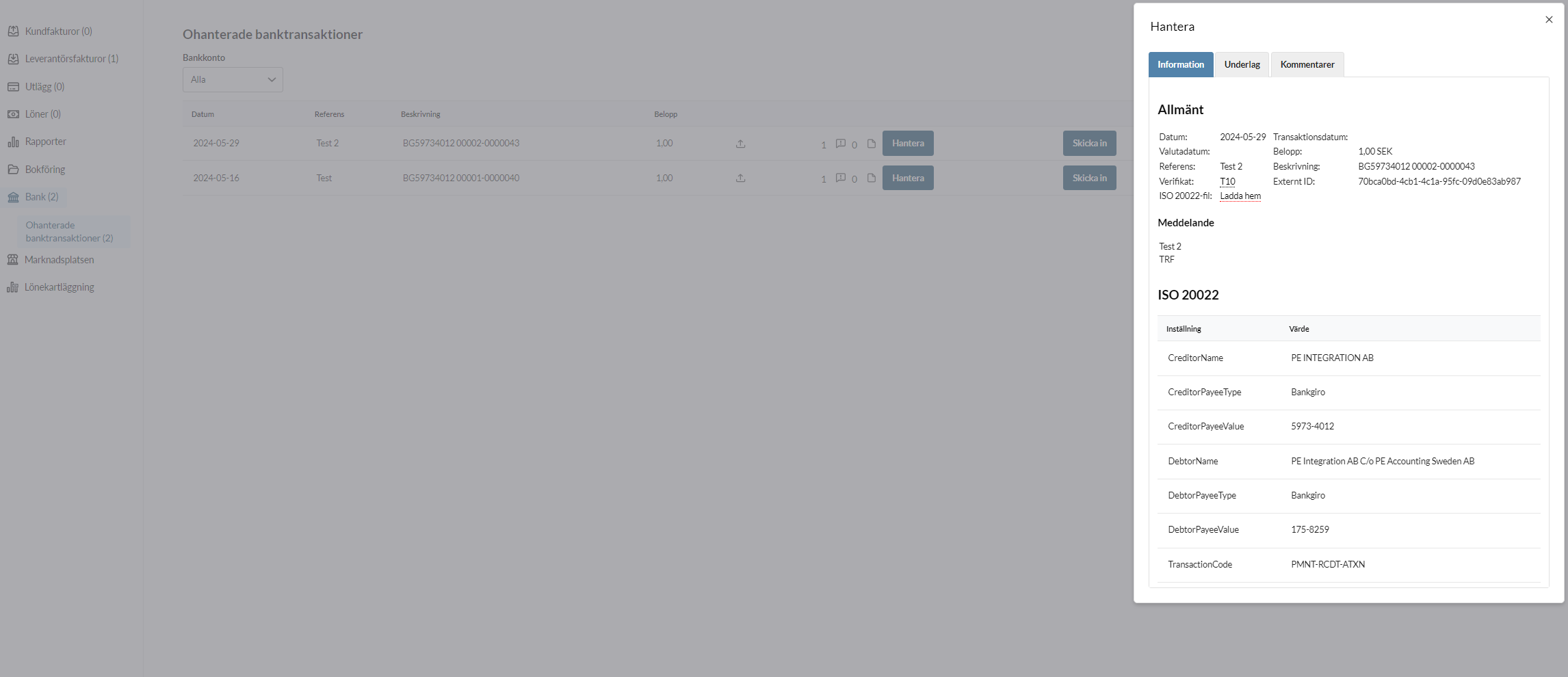
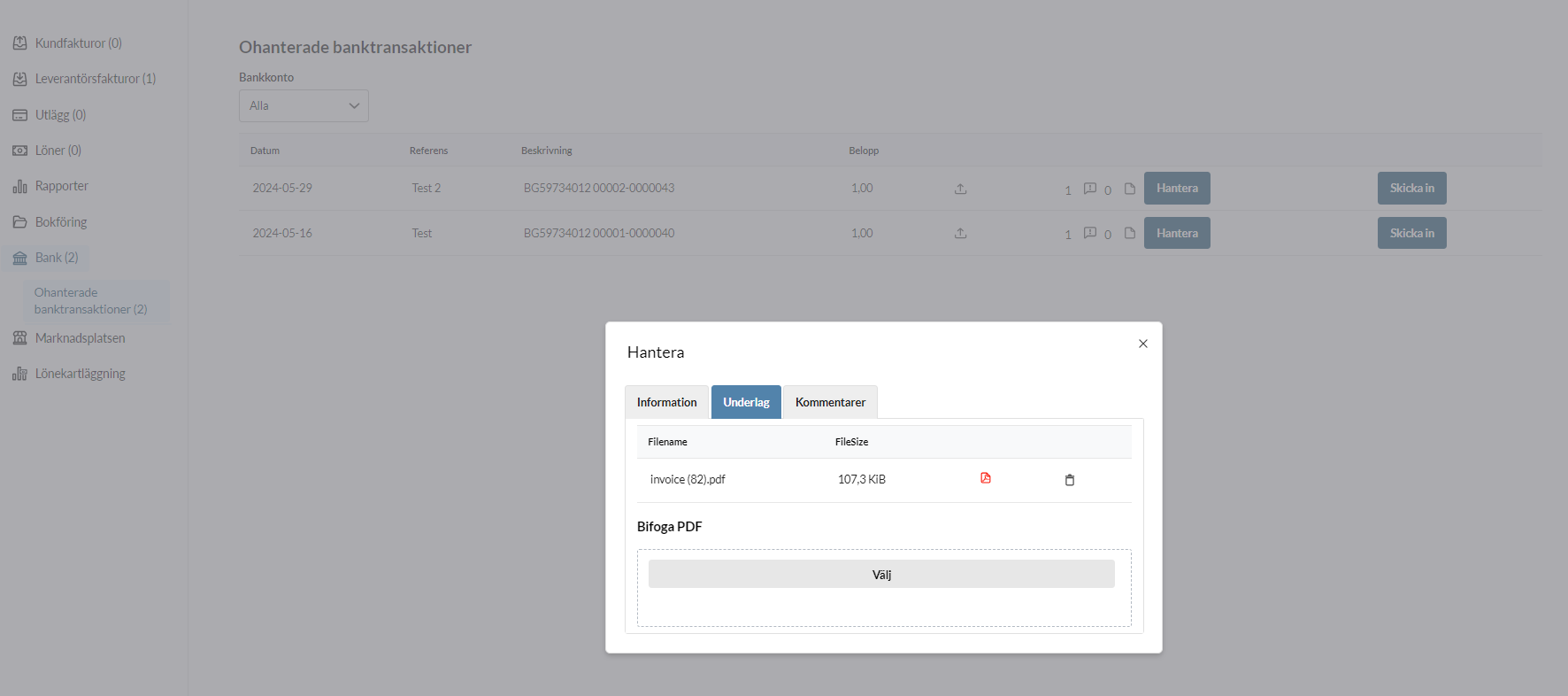
You can see the transaction information when you click “Manage” on a specific bank transaction. You can also upload the documents that are needed on the Documentation tab.
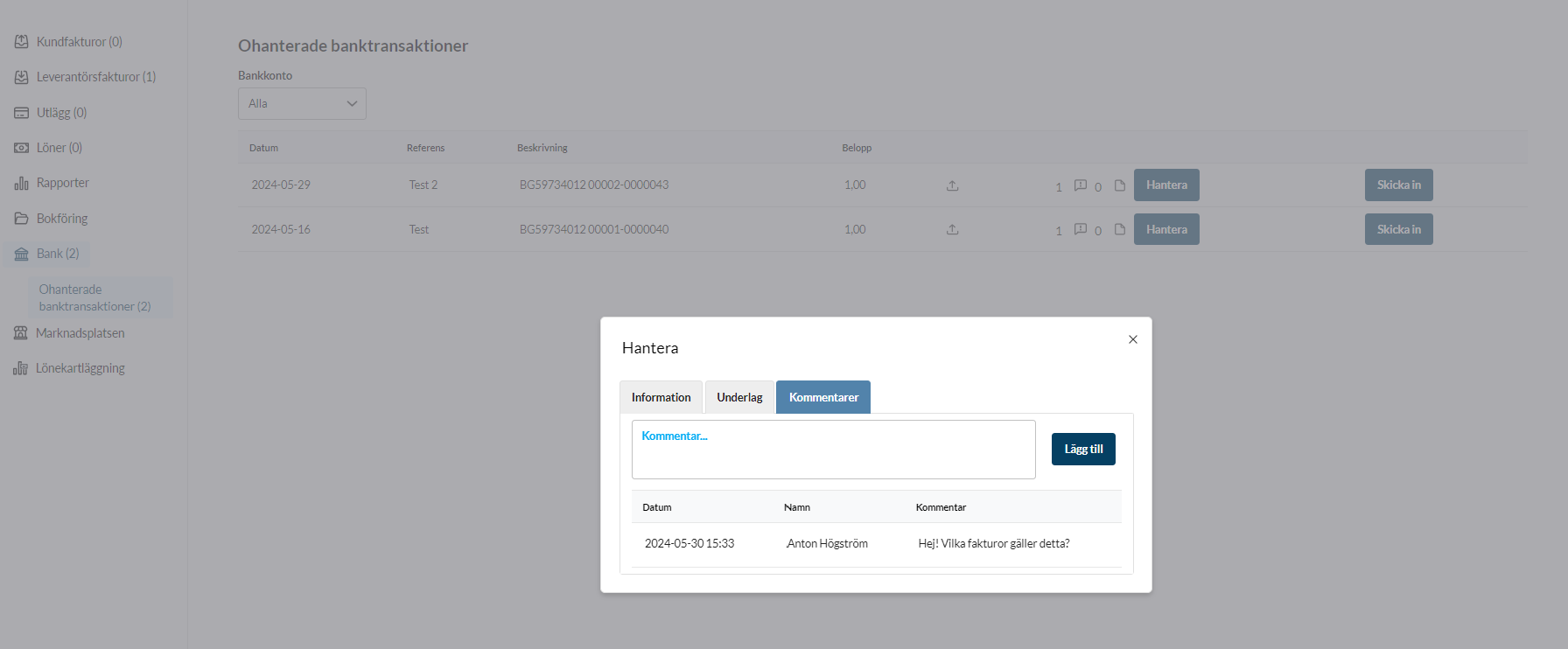
Here you can also see any external comments that your company’s Kleer consultants have written, and reply to them through the comment function.
Bank transaction overview
When you click “Manage” on a bank transaction, you see an overview with information about the bank transaction. It is a compilation of the information about the bank transaction that Kleer has received from your bank.
This includes, among other things, amount, reference, description, paying party, any additional message and so on. The information shown is the basis for understanding which documents are required.
Documentation
On the Documentation tab you can upload the documents that are needed. You can upload several documents, and you can also remove documents with the trash can icon if something that was uploaded is wrong.
Everything you upload is saved as you go, which means you do not need to click any “Save” button for it to be kept.
Comment
Sometimes it is not a document that is missing, but rather a question that needs to be answered. Then the comment function is a good option, where you get the chance to specify what the bank transaction is about.
On the comment tab you can read the comment history for the transaction and also write new comments.
The comment history can then be used in the bookkeeping as an additional attachment to the documents
Submit
When you consider yourself done with the handling of the bank transaction (either uploaded the documents that are needed or commented), you can choose to submit the bank transaction. This means that the status of the transaction is updated in the consultant’s view to a green check mark, which shows that the bank transaction is ready to be booked.
If you change your mind, you can “take back” the bank transaction for further handling by clicking “Revoke”.
Who can see the bank transactions?
All finance managers in the company can see the bank transactions in the view. It is often the case, however, that only one or a few people at the company should handle them, so your Kleer contacts can control who gets notifications when new bank transactions are attached for handling.
Reminders

Transactions may stay for a long time without any documents being attached or comments being written. The Kleer consultant can then choose to send a reminder for the bank transactions, and a new notification goes out by email or SMS.
Invoice date after the payment date
When you distribute a bank transaction against an invoice, Kleer may warn you that the invoice date or accounting date of the invoice is after the date of the bank transaction. In that case the payment should not be matched against that invoice.
The reason is that the payment and the invoice then end up in different periods. An example: a payment is made on 25 March, but the invoice does not arrive until 15 April. March is already locked, so the invoice is booked in April. If the payment is matched against the invoice, the accounts payable ledger does not balance between 25 March and 15 April.
Do this instead:
- Book the payment manually on the payment date, against a temporary account, for example account 2490. Do not choose a system account.
- Reconcile the invoice against the same account once it is booked, at the earliest on the invoice’s accounting date.
A supplier invoice cannot be reconciled directly against another account, the way a customer invoice can. It is first reconciled against the bank account (1930) and then moved to the temporary account with a manual voucher. If you are unsure how to do it, contact your Kleer consultant.
Replace the email conversations by handling everything directly in the system
One of the main ideas behind the function is that you should be spared the manual handling of transactions that was previously done mainly through email contact. Instead you can now both communicate about this type of bank transaction directly in the interface, and upload the documents directly where they belong.
FAQ
Do I have to upload documents for all the bank transactions that are attached to me?
Answer: No, sometimes only a comment is needed.
Do I need to submit the bank transactions before they can be booked?
No, the bank transactions can be booked without you having submitted them, as long as the information that has already been added through documents/comments is sufficient.
“Submit” is a way for you to mark that you are done with the bank transaction, and a signal to the consultant that it is ready to be booked.
Can I see all the comments?
Yes, the whole comment history is under the Comments tab