

Nordea: bank connection
How you apply for integration at Nordea, and what happens after the application before the connection to Kleer is active.
Nordea customer in Kleer
For you who are a customer of Nordea, we set up an integration between the bank and Kleer to fetch transactions that have taken place and to send payments. Read the information below to connect the integration between Kleer and Nordea.
1. Apply for integration at Nordea
Apply for integration: Corporate Access Lite
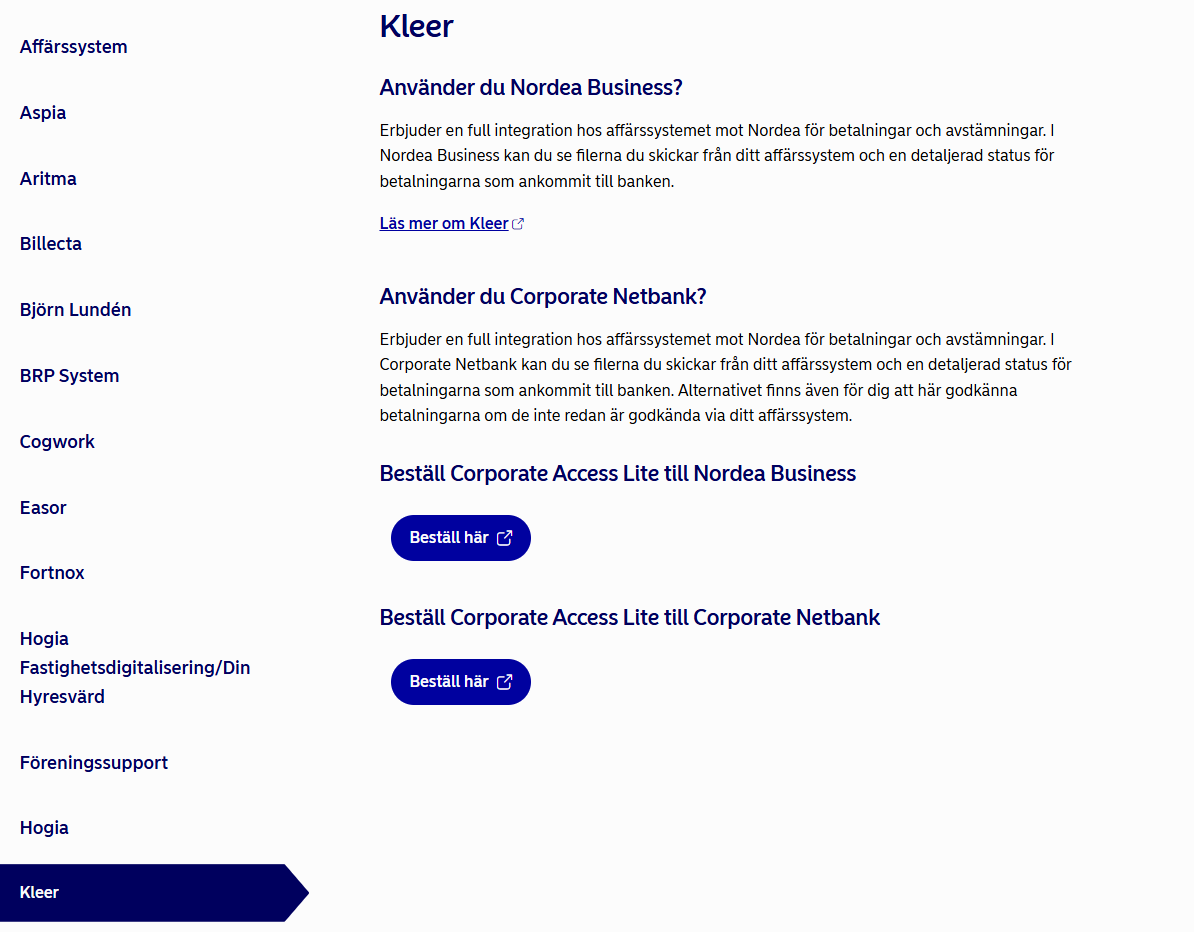
To apply for bank integration between Kleer and Nordea, go to Nordea’s page about Corporate Access.
- Scroll down to the list of business systems and choose Kleer.
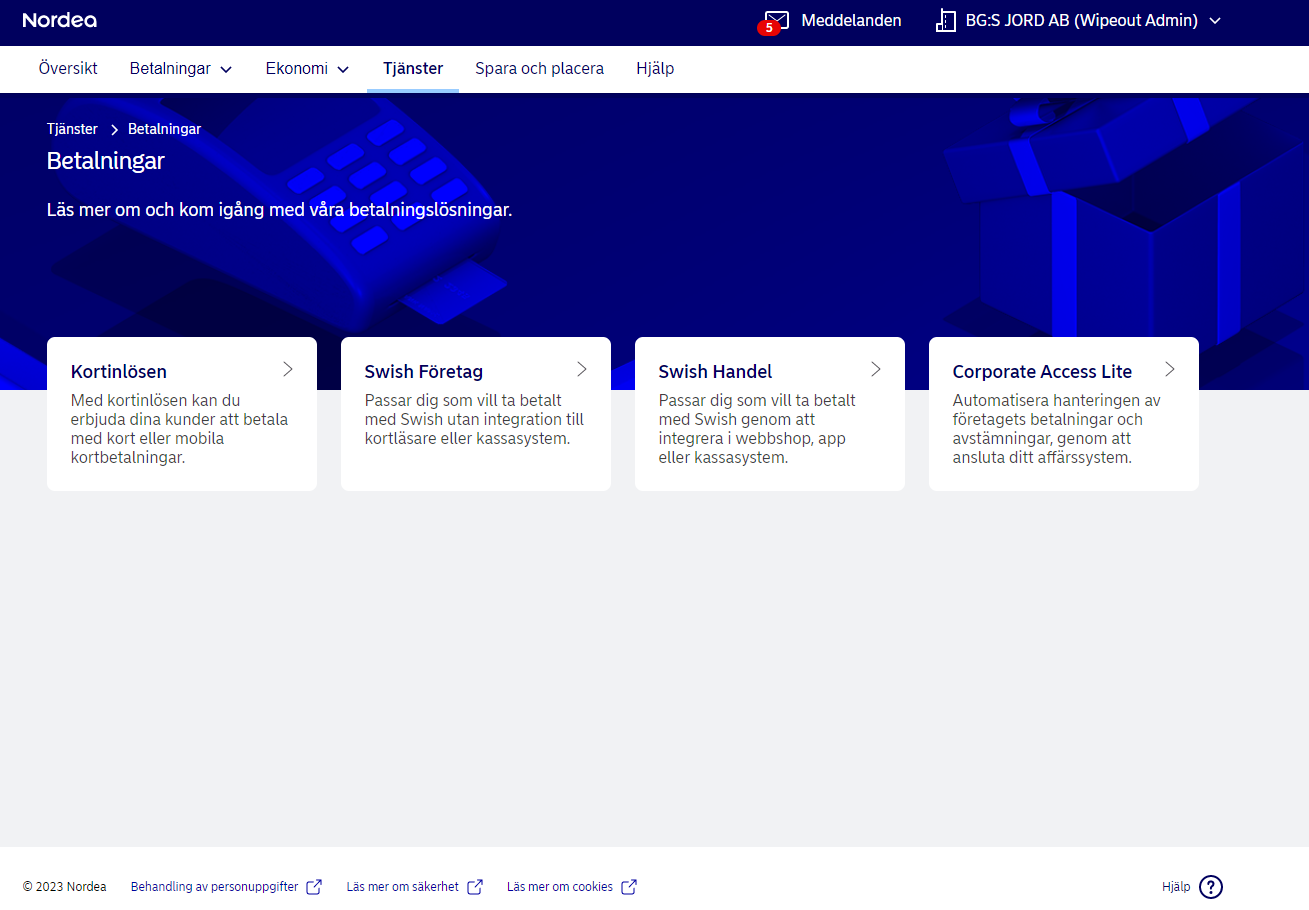
- Log in to the internet bank you have at Nordea. If you have up to three bank accounts, it is normally Nordea Business that you use. If you have more than three accounts, it is probably Corporate Netbank. If you are unsure, your bank contact will help you.
- When you have logged in, you find the application page for Corporate Access Lite under the Tjänster (services) tab
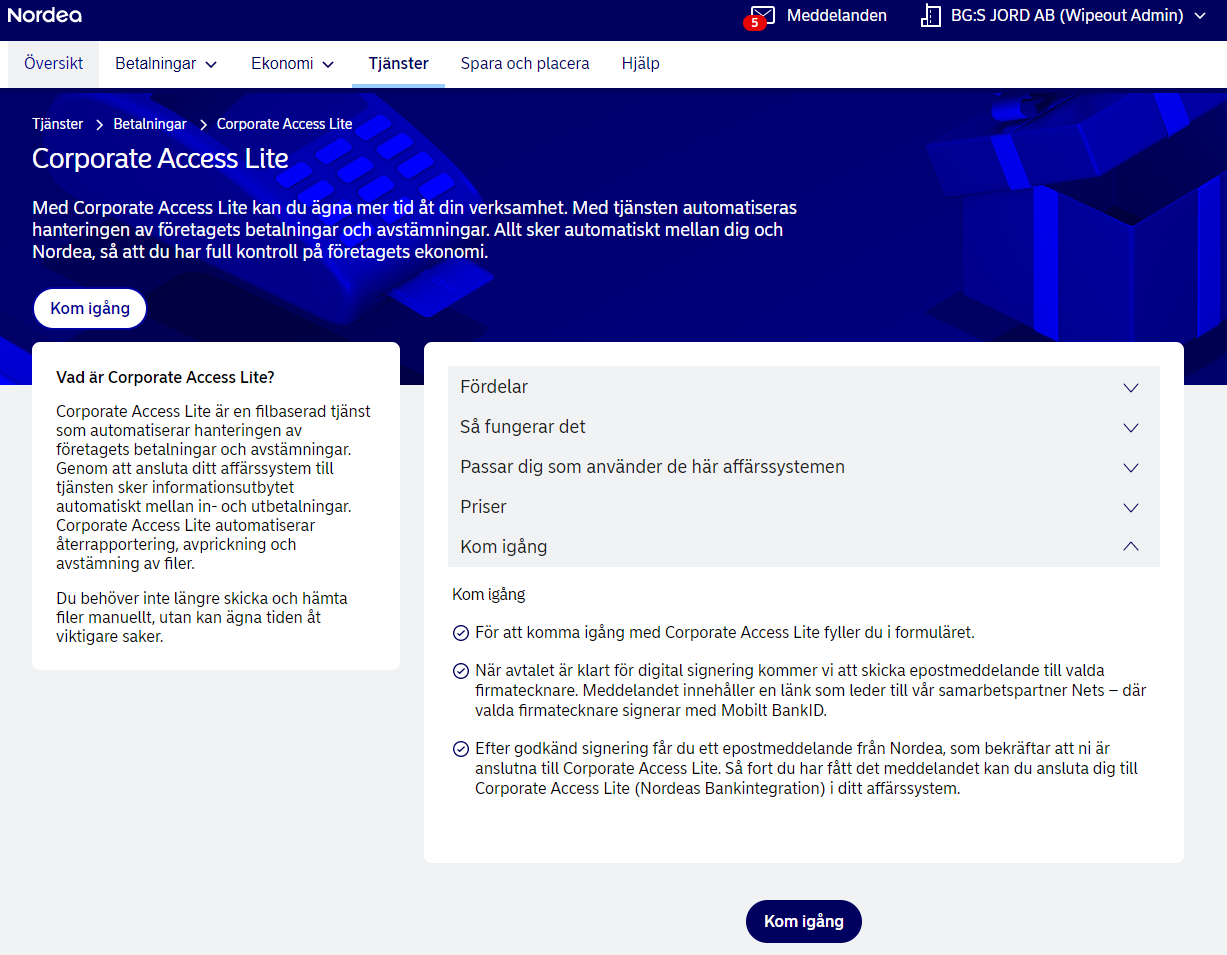
- You then reach the page below, where you click “Kom igång” (get started) and choose Kleer as provider:
- Then you fill in the details that are asked for. It is important here that you choose to have all the accounts you have at the bank connected to Corporate Access Lite. Today it is only possible to integrate the following account types at Nordea:
- 60 AffärsGiro
- 61 PlusGirokonto Företag
- 73 KVK-konto
- After you have filled in the details, you wait for a digital agreement from Nordea to sign.
2. What does the integration mean?
A fully integrated business system to the bank
- When the integration is in place, you will be able to pay supplier invoices, salaries and expenses directly in Kleer.
- We at Kleer recommend that all Nordea customers choose to sign payments in the business system. This means that when you authorise and send off payments in Kleer, it is the last step required for a payment to be carried out. This is to avoid logging in to the internet bank and signing once more. This type of signing requires that you are logged in to Kleer with BankID (which is required if you have payment permission)
3. What happens now?
For you who have Nordea Business
On the set go-live date, the integration is expected to start and a connection between Kleer and Nordea should be in place. Your implementation consultant will inform you if anything is missing.
For you who have Nordea Corporate Netbank
When you have received the agreements from Nordea, there will be an agreement number (CCM number) that is to be sent to your implementation consultant at Kleer. As soon as that is done, the integration will be put in place.