

SaaS MRR bridge (Beta feature) (Ongoing contracts)
With Kleer's MRR bridge (Beta) you get, as a SaaS company, a dynamic view of how your recurring revenue develops: growth, churn and the subscription business, based on ongoing contracts in Kleer.
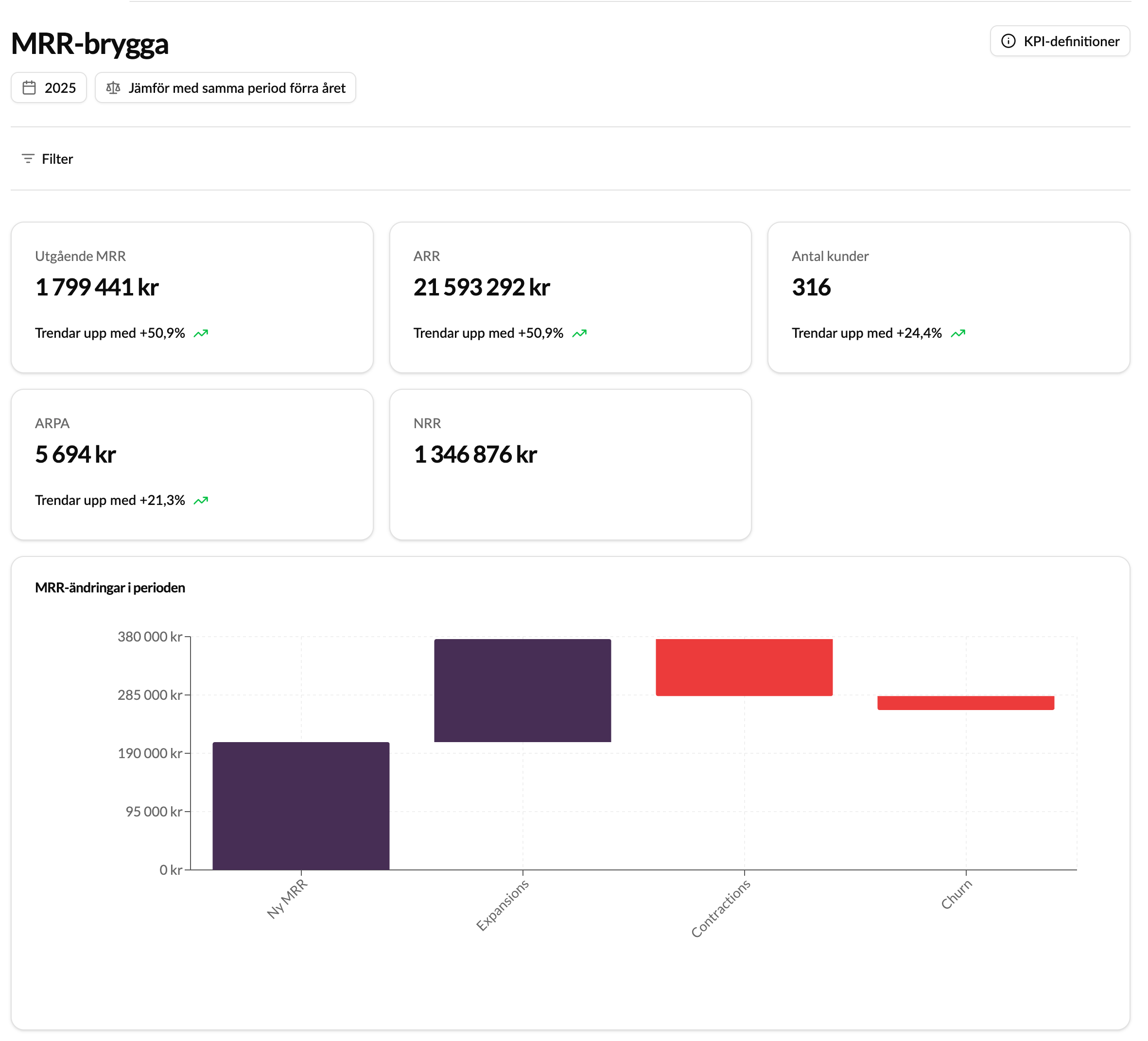
Kleer’s MRR bridge for ongoing contracts gives SaaS companies a clear and powerful overview of how the recurring revenue changes over time. It visualises the development of your recurring revenue and gives insights into it.
By following the changes in your ongoing contracts, you can easily identify what drives growth, churn and pricing changes, and make data-driven decisions based on the actual revenue flows in Kleer.
Information
The dashboard shows the key figures for your subscription business, with a focus on how the contract portfolio and the recurring revenue develop over time.
Among other things, you can follow:
Overall key figures
- Closing MRR (Monthly Recurring Revenue): The total value of all active contracts at the end of the chosen period.
- ARR (Annual Recurring Revenue): Monthly revenue converted to an annual basis for the chosen period.
- Number of customers: The number of active customers during the chosen period.
- ARPA (Average Revenue Per Account): Average recurring revenue per customer.
- NRR (Net Revenue Retention): The net change in revenue from existing customers, including expansion, downgrades and churn.
Components of change
- New MRR: New contracts that were added during the period.
- Expansions: Increases in existing contracts.
- Contractions: Decreases or downgrades in existing contracts.
- Churn: Contracts that ended during the chosen period.
Key figures: definitions and examples
Key figures (KPIs)
The dashboard summarises the most important measures for following your subscription business and understanding changes in recurring revenue over time.
| KPI | Description | Example value |
|---|---|---|
| MRR (Closing) | Total value of all active ongoing contracts at the end of the period. Shows the monthly recurring revenue after all changes (new, expansion, contraction, churn). | 345,000 SEK |
| ARR (Annual Recurring Revenue) | MRR × 12. Shows the annual recurring revenue based on the current MRR at the end of the period. | 4,140,000 SEK |
| Number of customers | Number of active customers at the end of the month, based on unique organisation numbers. | 82 customers |
| ARPA (Average Revenue Per Account) | Average MRR per customer, that is MRR divided by the number of customers. | 4,207 SEK |
| New MRR | New contracts that were added during the period. | 25,000 SEK |
| Expansion MRR | Increase in existing contracts, for example upgrades. | 15,000 SEK |
| Contraction MRR | Decrease in existing contracts, for example downgrades or reduced volumes. | -8,000 SEK |
| Churned MRR | MRR that was lost because of terminated or ended contracts during the period. | -12,000 SEK |
| NRR (Net Revenue Retention) | The net change in revenue from existing customers during the period, including expansion, downgrades and churn. | +20,000 SEK |
The example values are just examples, there to show how the measures fit together. They are not figures from your company.
Filters and display options
Time filter
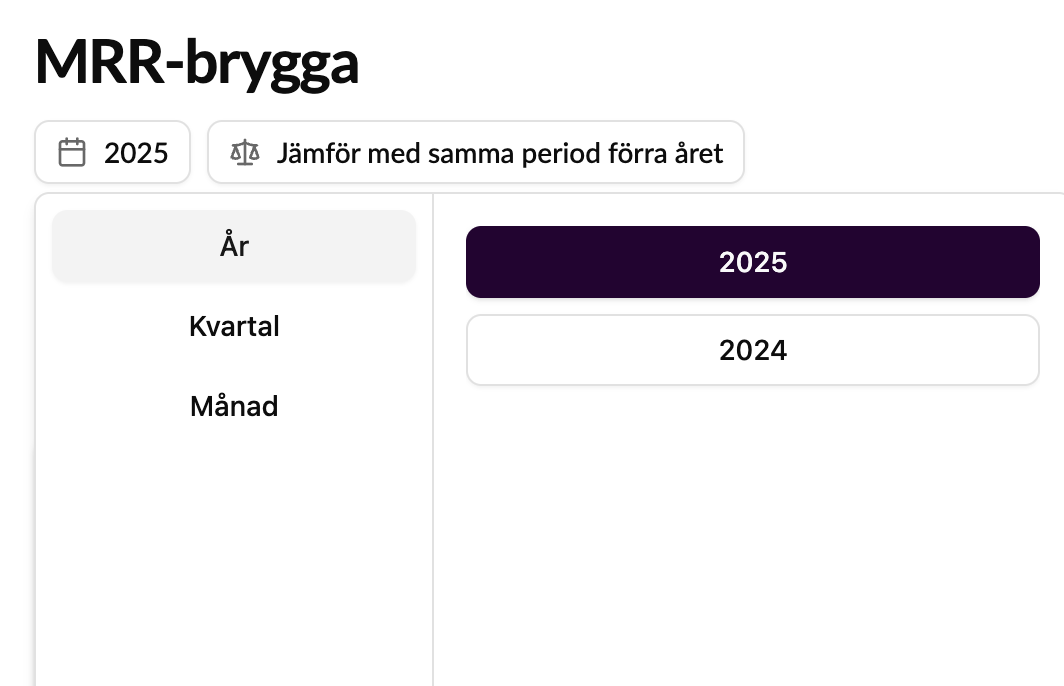
You can filter the data by month, quarter or year, depending on which time perspective you want to analyse.
Comparisons
Compare the development between:
- The chosen period and the previous period, or
- The same period the previous year, to identify trends over time.
- See trends against the chosen comparison period.
Customer filter
Filter on one or more companies/customers to focus on specific contracts or customer groups. You can easily search for and choose the customers you want to analyse.
Underlying table
In the table you can:
- Sort in ascending or descending order per column.
- Hide columns you do not want to show.
- Export the table to Excel for further analysis.
What counts as an “active” ongoing contract?
An active ongoing contract is a contract that:
- Is registered in Kleer under Invoicing > Subscription management.
- Has no end date, or has an end date that falls after the chosen period.
What is registered as a “contract change”?
A contract change means that a contract value has changed between two periods. The following types of changes are registered:
- New MRR: New contracts that did not exist during the previous period.
- Expansion: Increase in value for existing contracts (for example an upgrade or an add-on).
- Contraction: Decrease in value for existing contracts (for example a downgrade or reduced scope).
- Churn: Ended contracts: no value is left in the current period.
Foreign currency on contracts
For contracts in a foreign currency, the exchange rate on the last day of the chosen period is used, and the amounts are shown in SEK in the MRR bridge. This can cause minor deviations compared with the total in the ongoing contract, since it is shown there at today’s rate.
Only contracts with changes are shown in the table
The underlying table only shows the contracts that had a change during the chosen period. This makes it easier to focus on the contracts that actually affected MRR and the reported key figures.
Products and services on the first invoice
One-off revenue that is registered on the first invoice, for example implementation fees or start-up costs, is not included in the MRR bridge. Only recurring revenue from ongoing contracts is included in the calculations.
FAQ
Who counts as a customer?
Each organisation number is treated as a separate customer in the dashboard.
The MRR bridge is based on the end customer stated in the contract, not the invoice recipient.
Example: If the invoice is sent to a service provider (for example Scancloud), but the end customer in the contract is Kleer Group, Kleer Group counts as the customer in the dashboard.
Can I see MRR figures for contracts that are outside the Kleer system?
No, the MRR bridge only shows data from ongoing contracts that are managed in Kleer.
Historical data from the time before you started using Kleer is not included in the reporting, and there is currently no handling of contracts or revenue that are outside the system, for example via Stripe or other external integrations.
We are evaluating the possibility of including external revenue sources in future versions of the dashboard.
Can contracts from the same customer be linked together?
Yes, you can link together contracts that are within 30 days of each other to handle contract changes that belong together. The contract is then treated as a continued extension instead of ending and being replaced by a new contract.